Trello is a powerful, mid-level project management application. The application offers a comprehensive range of tools, including customizable Kanban boards, lists, and cards, allowing users to manage projects, organize tasks, and collaborate with teams on a single platform. With Trello, you can work in the way that best suits you, whether it's a website design project or a weekly meeting. With push notifications and offline access, you can stay connected anytime, anywhere, and say goodbye to tedious email exchanges.
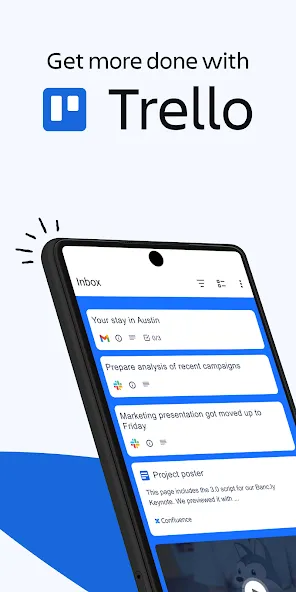
Productivity and team or personal work management app.
Customizable Trello boards for each project.
Lists and cards to organize tasks hierarchically.
Labels and colors to visually classify tasks.
Assignment of members and due dates.
Checklists, comments, and attachments.
Automations with custom rules.
Real-time notifications and cloud synchronization.
Compatible with Android, web, and other devices.
Integration with Slack, Google Drive, Jira, etc.
Fully customizable boards
Create boards for anything—from major projects to quick grocery lists—in a simple, visual way.
Real-time collaboration
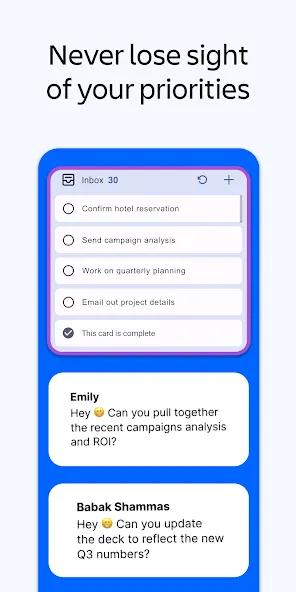
Invite colleagues, family, or friends. Everyone can follow along, comment, and collaborate together, from wherever they happen to be.
Easy-to-use lists and cards
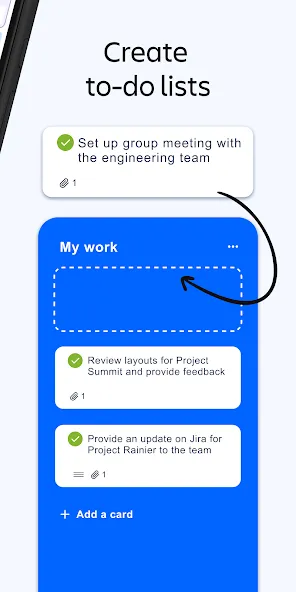
Drag and drop items, add checklists and color-coded labels, and build your own workflow with ease.
Task assignments and deadlines
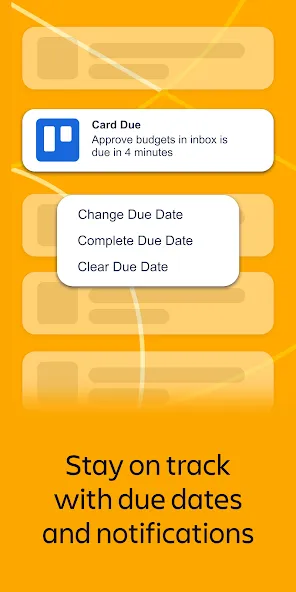
Assign tasks to team members, set deadlines, and ensure everyone knows exactly what they’re responsible for—nothing gets lost in the shuffle.
Comments and attachments
Discussing an idea? Comments are saved directly on the cards, and you can attach files from Google Drive or Dropbox, as well as photos and videos, right to the task.
Calendar view
Use the Calendar Power-Up to view your tasks by date, making it easy to keep track of what’s coming up.
Offline access with automatic syncing
Don’t worry about losing information. You can continue to edit and create even without an internet connection—everything syncs up as soon as you’re back online.
Android Wear compatibility
Reply to comments directly from your watch, without wasting time switching between screens.
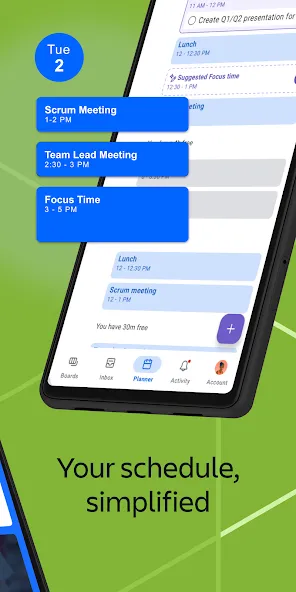
The application employs a board-and-card system that allows users to manage tasks in a visually intuitive manner. Each board represents a project, and within these boards, users can create lists that categorize tasks. Cards serve as individual tasks or items that can be moved across lists as they progress through different stages of completion. This structure is fully customizable, enabling teams to tailor their workspace according to their specific needs and preferences.
Trello helps users keep track of their work with several visual features. The Calendar view provides an overview of upcoming deadlines, allowing teams to see what tasks are due at a glance. Additionally, the Timeline view offers a more detailed perspective on project progress, helping users visualize how tasks overlap and depend on one another. For those working in field settings, the Map view allows users to organize tasks based on geographical locations, making it easier to manage logistics and site visits.
Notifications play a crucial role in ensuring that team members remain informed about project updates. Users can enable push notifications to stay updated on card assignments, changes, and completions. This feature is especially beneficial for remote teams who may not be physically present in the same location. Trello also supports offline functionality, allowing users to continue adding information to their boards even without an internet connection. Any updates made while offline will sync automatically once connectivity is restored.
Task dashboard tools allow you to manage tasks with ease.
Create a plan of action, a checklist, or simply gain clarity on what needs to be done.
Generate, summarize, and improve spelling and grammar of work, copywriting, or personal content.
You can even go beyond a daily planner and task organizer. Paid subscriptions can access AI tools that allow you to brainstorm new content based on topics you provide.
You can also share content to existing cards, add links or invite others to your workspace. Trello even includes an automation system that allows you to design rules and commands to streamline your workflow and it can be perfectly integrated with other apps like Google Drive or Slack. If you are looking for a solid tool to keep track of your projects through lists and tasks, download the free Trello APK and enjoy this visual project management app.
Size:53.11MB Version:2026.23.1.92047
Requirements:Android 10.0+ Price:Free
Package Name:com.trello Signature:235438fd0a92b3c5d090fab6ba280568
Feeling that there aren’t enough hours in the day? That you’re fighting a losing battle with your agenda? That each time you look up from your desk another year has rolled by? Well don’t worry, you’re not alone, and in today’s hyperconnected world, people are busier than ever before. On Android, there are countless productivity apps to help take control of your time and make your work more efficient. From a simple plugin for Chrome to a full-fledged app, picking the right productivity apps on Android can mean the difference between having a clear to-do list at the end of the day or having it overflowing with missed deadlines and projects that are off schedule. Productivity apps aren’t just about work, though. Using a productivity app in your personal life can keep you on top of deadlines for vacations, home repairs, and other family responsibilities.
Office Apps is a comprehensive and user - friendly platform that aggregates a wide array of office - related applications, catering to the diverse needs of modern professionals, students, and anyone who engages in office - based tasks. Whether you're working on a crucial business project, preparing academic papers, or handling daily administrative work, this aggregation page serves as your one - stop - shop.
About us | Contact us | Privacy policy| DMCA
Copyright © 2026 Xiaohei All rights reserved.