Pixelcut AI is a highly powerful image editor. Beyond technical editing capabilities, it features built-in AI tools designed to help users fix minor image imperfections. The software includes a background removal function that allows for precise cutouts, isolating objects from their surroundings. Users can choose from a variety of background colors to suit their specific needs. Additionally, the software offers replacement features, enabling users to enhance their photos and create personalized, polished designs. It also provides shadow control, allowing users to adjust the shadows on objects to make them appear more realistic. Pixelcut AI is versatile and well-suited for a wide range of users, including students, parents, teachers, creators, and entrepreneurs.
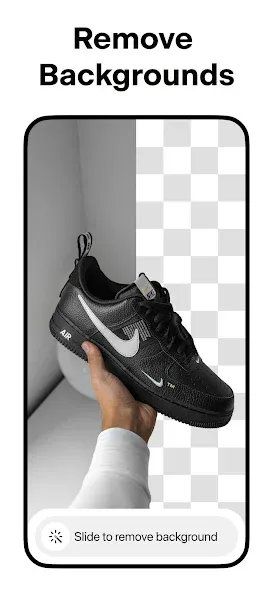
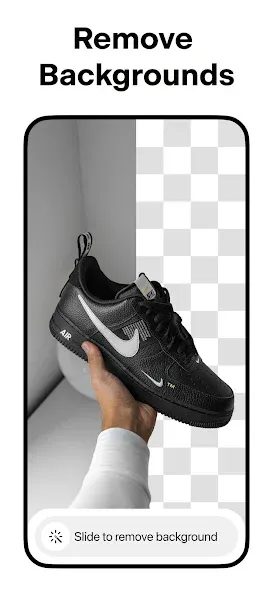
Background Remover: Instantly remove the background from any photo in your camera roll. Achieve perfect cutouts and erase backgrounds with ease.
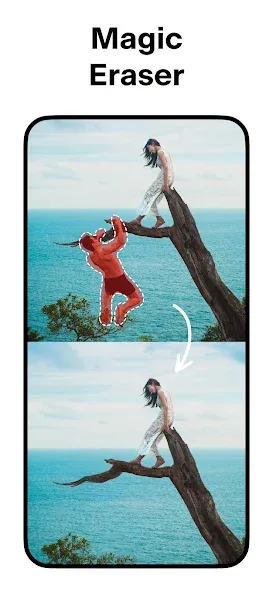
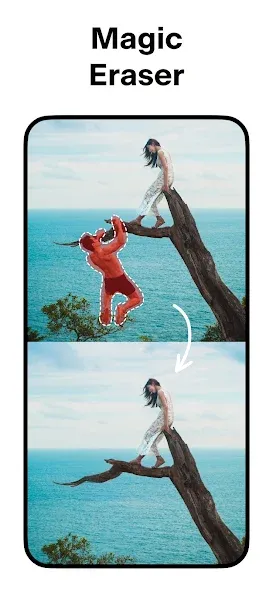
Magic Eraser: Remove unwanted objects and clean up your images.
AI Smart Shoot: Use AI-powered smart shooting to generate an unlimited number of product photos. Creating stunning product imagery for your e-commerce site has never been easier.
Magic Writer: Access an AI copywriting tool right at your fingertips—powered by the same technology as ChatGPT! Use OpenAI’s GPT technology to generate product descriptions, Instagram hashtags, captions, and more.
Video Maker: Effortlessly create videos for your business!
Collage Maker: Craft beautiful collages using your own photos, with dozens of creative layouts to choose from.
White & Colored Backgrounds: Place your products against a clean white background, or select from a wide range of vibrant colors and backdrops.
Templates: Choose from thousands of templates specifically designed for e-commerce.
Shadows: Adjust the shadows on your products for a more realistic look.
Text Styles: Add text in beautiful fonts. Overlay text onto your images—turn your quotes into works of art!
Stand Out: Boost your sales and expand your reach on platforms like Instagram, Poshmark, and Shopify with stunning product posts and stories.

Pros:
Fast and simple background removal workflow
Product-focused templates, shadows, and AI-generated scenes
Includes tools for captions, collages, and video clips
Editing steps simplified into straightforward operations
Cons:
Unlimited background removal and asset expansion require a Pro subscription
Some users report inconsistencies with cutout quality or AI-generated backgrounds
Who should use Pixelcut AI?
Pixelcut AI is useful for content creators, online sellers, students, small business owners, and anyone else who needs clean, professional-looking images without requiring advanced editing skills.
Is Pixelcut AI helpful for product photography?
Yes. Pixelcut AI can remove cluttered backgrounds, place products into cleaner settings, and create professional visuals for online store listings or promotional posts.
Are the AI editing features in Pixelcut AI always accurate?
While the AI editing tools are highly useful, they may occasionally miss fine details—such as hair, shadows, transparent objects, or items that blend into the background. Some images may require manual touch-ups.
Pixelcut AI is designed for users who want to quickly create clean product images, social media posts, profile pictures, and other visual content without the need for complex, cumbersome editing software. By focusing on simple, AI-powered tools, it makes the process accessible even to beginners, allowing anyone to create polished, high-quality images with just a few taps.
Size:68.42MB Version:0.9.72
Requirements:Android Price:Free
Package Name:com.circular.pixels Signature:7e25d546b98ad4286a6966ce8d85df15

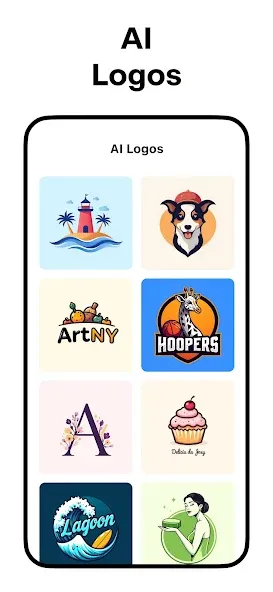
Welcome to our image editing apps! Perfect for beginners and pros alike, they make photo enhancement easy. Use PicsArt to crop, adjust colors, and apply filters. Remove backgrounds instantly with Remove.bg. Get creative with layers and advanced tools on Adobe Photoshop Express. Start transforming your images today!
Visuals serve as a primary gateway for players to engage with games, where distinctive art direction immediately captures attention and creates lasting impressions. An unconventional aesthetic not only stands out in crowded markets but also enhances immersion and emotional connection. When executed with creativity and polish, striking visuals elevate gameplay into a memorable artistic experience. That's why titles with truly exceptional art styles deserve recognition - they offer both visual delight and meaningful interactive expression that resonates with players long after the session ends.
AI Photo Editing Apps - encompassing both image generation and enhancement tools - utilize cutting-edge machine learning algorithms to produce, refine, or transform visuals using text prompts, uploaded images, or artistic preferences. These powerful applications are reshaping digital art, photography, and media production by streamlining sophisticated processes such as professional-grade retouching, artistic style replication, and completely AI-generated artwork. By combining automation with creative control, they empower users to achieve stunning results with unprecedented speed and precision.
About us | Contact us | Privacy policy| DMCA
Copyright © 2026 Xiaohei All rights reserved.