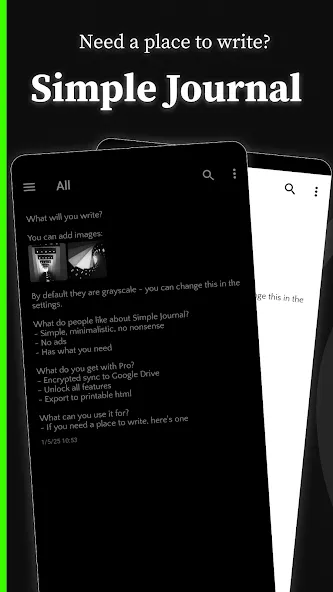
Simple Journal is a user-friendly e-journaling application. It boasts comprehensive features, not only meeting users' daily collaboration needs but also offering mood tracking, work notes, and collaborative body shapes. With Simple Journal, you can customize your journaling experience, choosing from a variety of different theme colors and quickly finding past entries using the tag search function. Furthermore, you can adjust font size, color depth, and text spacing to suit your visual preferences, creating a personalized user experience.
No ads
Lock automatically (fingerprint, password, or device credential)
Continuous auto-save
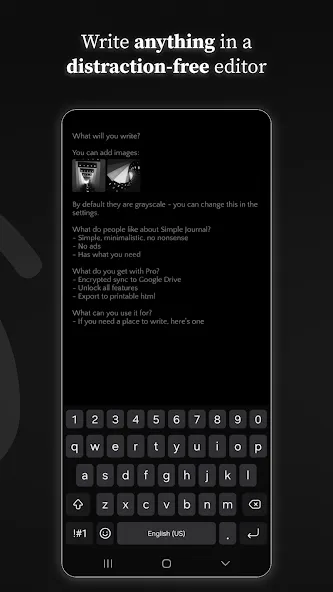
Distraction-free editor
Light and dark themes
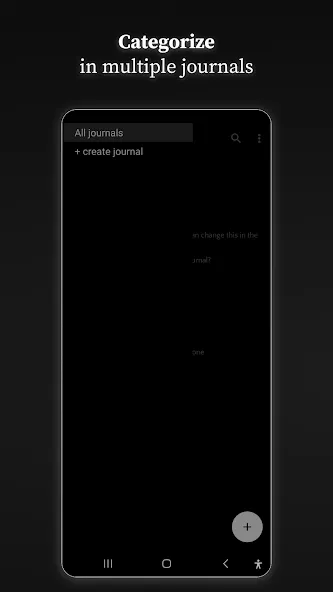
Multiple journals
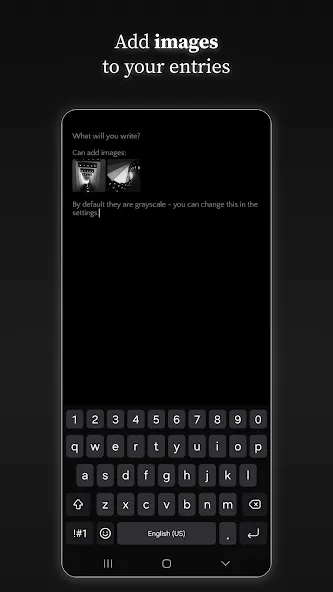
Inline images
Search through entries
Location tags (optional)
Font customization
Basic formatting (bold, italic, underline, highlight, strikethrough)
Auto-indent
Scrambled mode (write without unlocking)
Keyboard shortcuts
Export/import for manual backups
Multiple journals for categorization
App locking with fingerprint or password
Free manual export for local backups
Search across all past entries
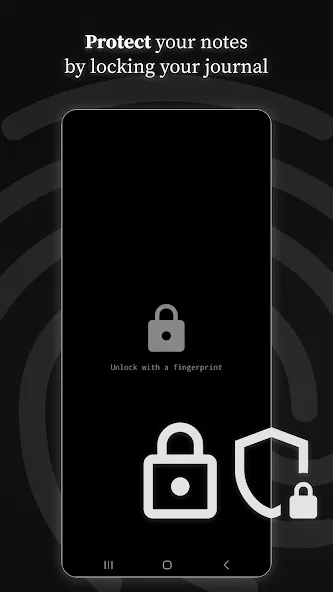
Private local storage with an optional passcode to protect entries
Simple editor with the ability to add photos to entries
Search, tags, and filters to find past notes quickly
Daily reminders and flexible entry scheduling to support a journaling habit
Export entries as plain text for backup or sharing
Light and dark themes with adjustable font sizes for readability
Fixed issue with attached gifs not playing when opened
Entries are stored locally by default and you control backups. Choose local export, manual backup or optional cloud sync according to your needs. Simple Journal provides settings to manage storage and privacy preferences. Use Simple Journal to build a regular writing habit, organize ideas with tags and search, and keep your personal notes accessible and secure.
Size:6.4MB Version:4.17.0
Requirements:Android Votes:475
Package Name:fi.magille.simplejournal Signature:4b11f71b319f3a93a2dbd9b9302e87231cb3c5dc
Feeling that there aren’t enough hours in the day? That you’re fighting a losing battle with your agenda? That each time you look up from your desk another year has rolled by? Well don’t worry, you’re not alone, and in today’s hyperconnected world, people are busier than ever before. On Android, there are countless productivity apps to help take control of your time and make your work more efficient. From a simple plugin for Chrome to a full-fledged app, picking the right productivity apps on Android can mean the difference between having a clear to-do list at the end of the day or having it overflowing with missed deadlines and projects that are off schedule. Productivity apps aren’t just about work, though. Using a productivity app in your personal life can keep you on top of deadlines for vacations, home repairs, and other family responsibilities.
Take control of your time and achieve more every day with these essential productivity tools for Android. Smart planners and intuitive task managers help you organize your schedule, set priorities, and never miss important deadlines. Stay laser-focused with distraction blockers and habit trackers, while powerful note-taking apps and cloud-synced file managers keep your work streamlined across devices. Whether you're managing projects, studying, or balancing daily tasks, these apps help you work smarter-not harder. Download now and transform your phone into a productivity powerhouse to accomplish more with less stress!
About us | Contact us | Privacy policy| DMCA
Copyright © 2026 Xiaohei All rights reserved.