Camera for Facebook is the ultimate camera app designed to ensure instant uploads to Facebook. Featuring a burst mode, excellent functionality, and a smooth user experience, it helps you capture exciting moments that are difficult to catch with a standard camera. With Camera for Facebook, you simply select or create a Facebook album, and every photo or video you capture is uploaded to that album immediately. The app also offers privacy settings when creating albums, allowing you to set them to private, public, or visible only to friends.
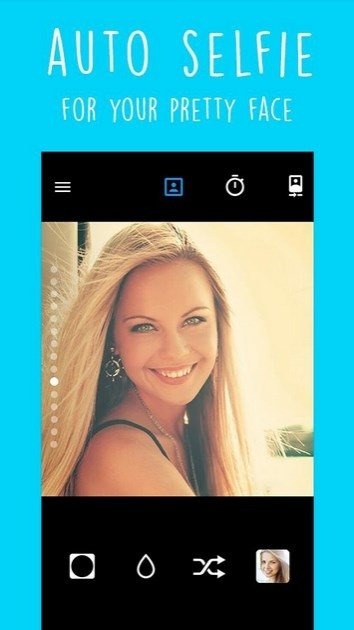
Real-time filters.
Selfie timer.
One-touch skin smoothing.
Plenty of effects: retro, neon lights, love effects, etc.
Beautiful photo filters.
Options to post photos to Instagram without cropping.
Share your photos on Facebook, Instagram, and WhatsApp.
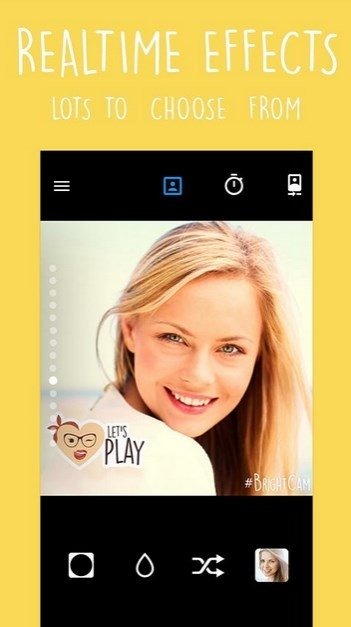
Beautification & makeup: lighten, whiten and smoothing skin in one touch
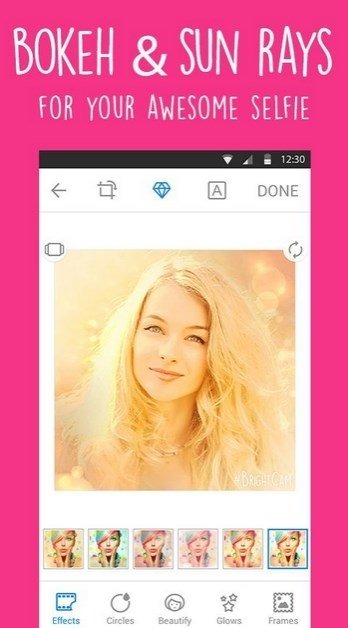
Beauty camera photo effects: color effects like Photoshop effects, pastel themes, retro camera effects, neon lights and bokeh effects for pictures, Hearts - a set of special love effects
Radial Tilt-Shift effects with backlight, blur effect, violet light, azure blue, pink and coral vignette camera effects, pixel art or mosaic picture effect, lamp light, monochrome photo effect for integrity and perfect composition
Glow art photo filters and lens: sweet hearts, light rays of love, disco light, stars of love, bubble pop, diamond hearts, smileys, space effects and shining stars, magic bokeh
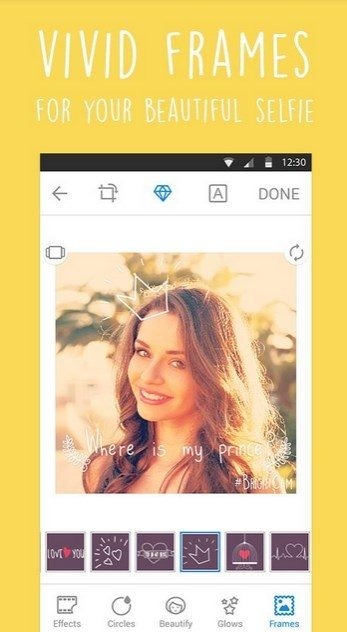
Love quotes and sayings in beautiful photo frames: I love you, I love U, Together forever, You color my world, Good morning, Good night, happy birthday, sweet dreams, diamond hearts as picture in picture
Edit photo size: сrop photos, rotate screen with a photo, zoom camera and mirror camera options
Extra photo editor tools for Instagram: “instasize no crop” for uploading entire photos on Instagram without cropping; “instaframe” set of photo frames for additions special photo frame for portrait or landscape photo to Instagram’s squared photo
Write text quotes on photos
Embrace the ability to effortlessly take stunning selfies with a variety of real-time filters and effects tailored to elevate your portraits. Choose from a set of photo filters, try out the vignette effect, or employ the blur feature to add depth to photos. Capture moments perfectly with the self-timer option and easily utilize the big camera button for convenience.
Editing your selfies becomes a breeze with features that allow for beautification and smoothing of the skin with just a single touch. Experiment with creative and colorful effects, indulge in pastel themes, retro vibes, and dazzling bokeh effects. Tilt-shift, backlight, and several vignette options are also available to craft the perfect composition.
Artistically enhance your photos with glow art filters, love-themed effects, and add meaningful love quotes in beautiful frames to express sentiments. The app ensures that users can handle every aspect of photo editing, including cropping, rotating, and even mirroring images for the ideal layout.
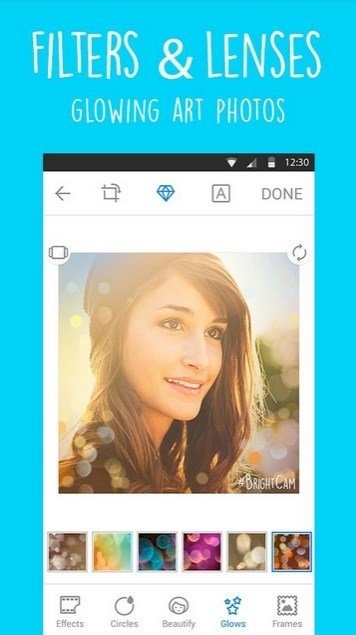
Not just limited to editing, this powerful tool also includes a gallery feature for organizing and viewing photos in a grid or calendar format. The application facilitates instant sharing of polished images to social platforms like Facebook, Instagram, and WhatsApp, making it a go-to choice for those who want their snapshots to stand out on social media.
Size:17.33MB Version:2.2.2
Requirements:Android 4.0.3+ Votes:123
Package Name:mobi.bcam.mobile Signature:905f420fbd0722216d2c1af63216a422
Photography is an art form that has been around for over a century and has evolved greatly over the years. With the advent of technology, photography has become more accessible and convenient, especially with the rise of mobile photography. Mobile photography has revolutionized the field of photography, making it possible to capture and edit high-quality photos right from your smartphone. As mobile photography continues to grow in popularity, there is an abundance of mobile apps available for photography enthusiasts. However, with so many options available, it can be difficult to determine which apps are worth your time and investment. In this article, we’ll take a look at the top mobile apps for photography and provide you with a comprehensive guide to help you choose the best app for your needs.
Transform your smartphone into a powerful creative tool with these top-rated camera apps. Packed with professional-grade editing features, stunning filters, and advanced effects, they help you capture and refine every shot like never before. Perfect for landscapes, portraits, or spontaneous selfies, these apps offer intuitive controls and AI-powered enhancements-all for free. Download today and unlock your full artistic potential. With these apps, your photos will stand out with polished, professional quality, making every moment picture-perfect!
More and more people enjoy taking selfies nowadays, and the most important thing about a good selfie app is its filter function. Filters are mainly used to achieve various special effects on images. Taking photos with these cameras can make them more aesthetically pleasing. So which mobile filter software is good? Below, the editor recommends several super useful filter apps for everyone. In addition to having a large selection of filters, you can also customize and adjust your photos. Multiple filter overlays are super stylish, and you can modulate your exclusive filter effects. Below are the most popular filter software downloads for everyone, hoping to help you.
About us | Contact us | Privacy policy| DMCA
Copyright © 2026 Xiaohei All rights reserved.