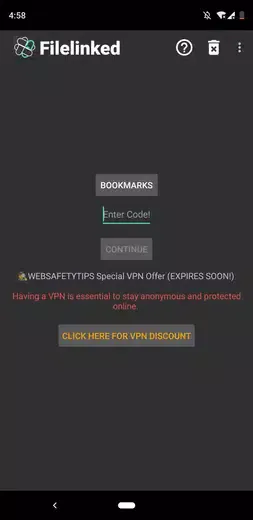
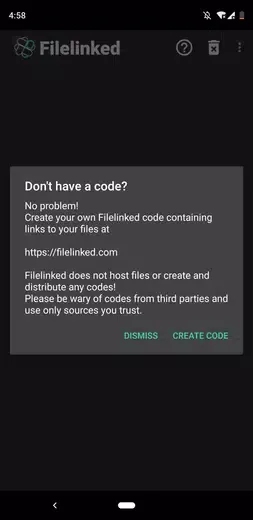
Filelinked is a powerful online file-downloading tool. The application offers a clean interface and clear, easy-to-understand graphic design, allowing users to get started quickly and download multiple files to their devices simultaneously without needing to enter any URLs. With Filelinked, users can access an online file library and download content as needed simply by entering the corresponding code. If you wish to share files with others, you can also create your own code and add direct download links for the files you want to share.
Free to use - Filelinked is free for everyone. Download Filelinked for free from the link above and get started! Simply create codes from one or more files you would like to download onto your device. Try it out, you will love it!
Fast Bulk Download - Have you ever tried downloading multiple files to your Android device at the same time? We know how slow and boring this task can be. With Filelinked, it’s a breeze! No need to type long URLs from your device anymore, making the process faster than ever.
Easy update - It’s simple. Create custom configurations that include one or more files of any file type and generate a unique code. With this code, head over to Filelinked on your Android device, and enter your code to start your downloads immediately. Dead simple, right?
The evolution to Unlinked
With the closure of the original FileLinked service, its successor emerged to provide a feature-rich, modern, and more secure alternative. Unlinked retains the core convenience of the original—converting lengthy URLs into short, numeric codes—but elevates the experience with significant updates to security and management. This new utility is designed for users to create personalized libraries of apps, videos, and pictures, which can then be accessed on a TV device or shared easily with others using the unique code.
Security and Management
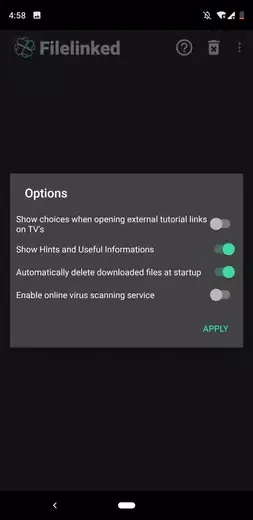
To create and manage these file libraries, users must register an account and gain access to a unified dashboard. From here, creators can manage all their libraries, adding file names, their corresponding URLs, and even customizing their appearance. Crucially, Unlinked addresses the security concerns that sometimes shadowed its predecessor by implementing encryption (AES-256) for every library created. This high level of encryption ensures that the user's data remains private and secure. Furthermore, it allows creators to add password protection to their libraries for an extra layer of access control. However, the content within libraries are not guaranteed by the tool to be safe.
The current standard for simple sharing
The ability to turn complex links into a single, shareable numeric code makes Unlinked the essential tool for distributing multiple files quickly and efficiently, especially on TV-based mobile devices where web browsing is impractical. While the platform enhances the ease of sharing, users must remain vigilant and download content only from sources they trust, as the app’s purpose is to facilitate sharing, not to vet the security of the content being shared.
Pros
Easy-to-use interface
Short numeric codes instead of lengthy URLs
Multiple files or applications could be bundled under one code
Cons
App could freeze or crash when downloading large files
Shared content still has to come from trusted sources
FileLinked was very good for Android users who wanted to download files without typing lengthy URLs, especially on TV devices. Its easy interface made it simple to enter a code and download a file or bundle, but the original service has closed. Unlinked now offers the same basic approach, with encrypted, password-protected libraries and account-based management.
Size:9.14MB Version:1.5.3
Requirements:Android 4.2+ Votes:546
Package Name:com.aot.filelinked Signature:b6c042803e1516f4f3f7b583fa2f7d2c
Discover our File Management Apps hub! Here, you can explore essential tools like Google Drive for cloud storage, Dropbox for simple file sharing, and File Commander for managing files directly on your device. Easily organize and access your files across your phone, or tablet. Our platform is designed to help you quickly find reliable apps to streamline your digital file management.
Transform your mobile device into a powerhouse of efficiency with these handpicked essential tools. Whether you need professional-grade photo editing, seamless file organization, smart task management, or real-time weather updates, our curated selection of premium apps delivers unbeatable performance. Streamline your daily routine, automate repetitive tasks, and boost your productivity with intuitive interfaces and powerful features. Designed for both professionals and casual users, these editor-approved applications will revolutionize how you work and play. Don't settle for an ordinary phone - upgrade your digital experience today and unlock your device's full potential!
About us | Contact us | Privacy policy| DMCA
Copyright © 2026 Xiaohei All rights reserved.