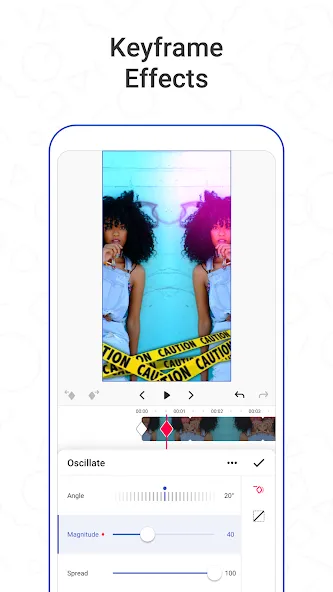
Funimate Video Editor & Maker is an excellent photo and video editing tool. Offering an extensive library of assets, the app perfectly blends creativity with ease of use—enabling both seasoned editors and beginners alike to quickly produce professional-quality videos. With just a single tap, you can add stunning, pro-level transitions that are sure to capture your audience's attention. Furthermore, you can use keyframes to effortlessly create custom animations, bringing your photos to life with a professional flair.
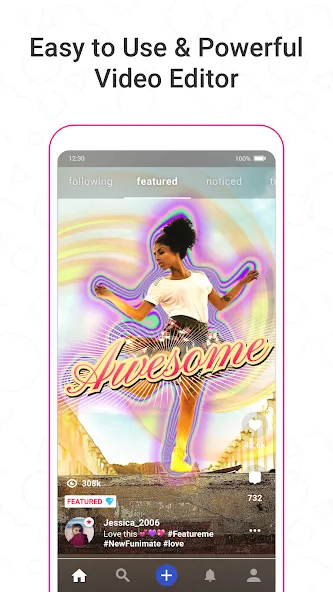
Creative AI Generation: With this application, you will come to an extremely intelligent AI system. The system will bring you the most perfect editing features and tools so you can quickly and easily edit without encountering any difficulties or obstacles.
Community Sharing Feature: The application will also bring you advanced sharing features. With this feature, you can quickly share the videos you have just edited directly without having to save them to an album or perform too many operations.
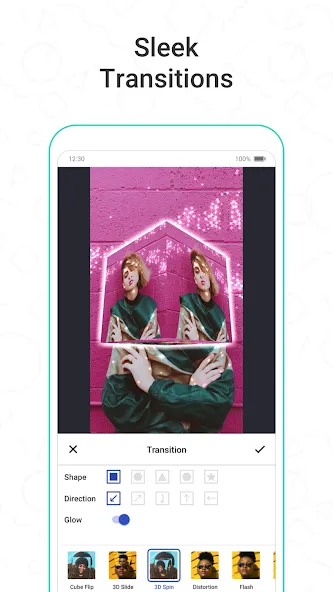
Custom Animations Transitions: The application will bring you custom transition features. With this feature, your videos will become much more unique and interesting, attracting more viewers on your social platforms.
Effects Filters Overlays: Not only do you have transition effects, but you also have a very unique and diverse color filter. Your videos will have more unique and attractive colors without having to spend too much time editing or remembering color correction formulas. You can use available color filters that are still extremely beautiful and slay for you, giving you extremely attractive experiences.
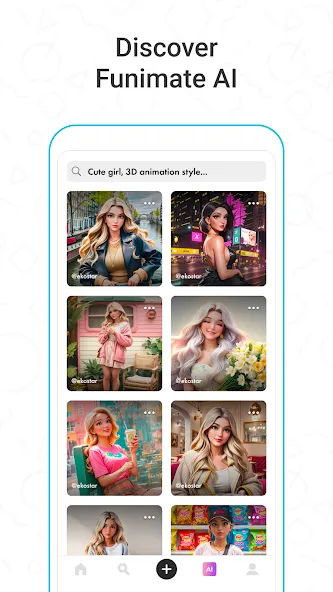
TRANSITIONS: Awesome transitions for your edits that you can add with a single tap! We have the best video transitions to wow your followers. Just add your pictures & videos and just by using a few taps you create a cool video with professional looking video transitions.
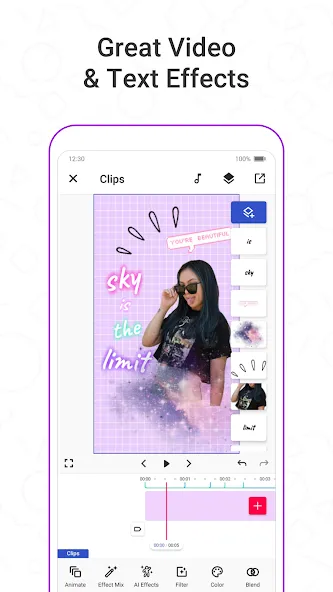
ELEMENT LIBRARY: Video editing is even more fun with overlays, stickers and backgrounds from our element library that has thousands of elements for you to select from. You can also use hundreds of emojis and add text to videos to create cool musical videos, lip sync videos or slow motion videos with Funimate.
KEYFRAMES: You’re not limited to our effects when it comes to making your videos unique. You can create your own effects with the photos on your phone. It’s super easy to animate your layers using keyframes! Discover custom animations to show off your creative skills to your followers.
VIDEO MASK & AI EFFECTS: You can change the background of your videos and add cool mask effects to your videos with just a click! To try this out, add a dance/freestyle video, tap AI Effects button and choose the effect you want. That’s it!
EFFECT MIX: Tons of different effects to add a professional touch to your videos! You can try more than 100 advanced video effects on Funimate video editor.
INTRO & OUTRO EFFECTS: Tens of intro and outro animations you can select for your texts, images and videos.
TEXT EFFECTS: Add lyrics of the music to your video with many text effects like neon lights, colors and many more. Tens of different fonts available!
ADD MUSIC TO VIDEOS: Add your favorite music to videos, to make short music video clips with creative effects.
VIDEO MERGE, CUT & TRIM: Besides all the awesome features, you’ll also have classic video editor app features like cropping, merging, cutting, trimming and editing videos. Funimate is the only video editor you need. You can also create reverse videos and slow motion videos just with a tap!
Pros
Keyframes support custom layer animation
Broad selection of transitions, masks, text effects, and overlays
AI tools generate characters, images, and background effects
Built-in challenges and creator feed provide editing ideas
Cons
Users sometimes report laggy transition playback
Social features may distract anyone seeking a straightforward editor
Funimate Video Editor & Maker is a good choice for new and intermediate creators who value bold social edits over meticulous control. Its keyframes, masks, music tools, AI options, and active community provide more creative scope than a basic clip trimmer. The Pro restrictions and reported transition stutter keep it from being an effortless recommendation, but it remains a lively workshop for short videos built to catch the eye.
Size:270.51MB Version:14.0.12
Requirements:Android 12.0+ Price:Free
Package Name:com.avcrbt.funimate Signature:0afc833b17cf5291d61d3418228abbd9
Visuals serve as a primary gateway for players to engage with games, where distinctive art direction immediately captures attention and creates lasting impressions. An unconventional aesthetic not only stands out in crowded markets but also enhances immersion and emotional connection. When executed with creativity and polish, striking visuals elevate gameplay into a memorable artistic experience. That's why titles with truly exceptional art styles deserve recognition - they offer both visual delight and meaningful interactive expression that resonates with players long after the session ends.
Enhance your photos effortlessly with the best free photo editing apps for Android! Whether you want to apply stunning filters, adjust brightness and contrast, remove blemishes, or create professional-quality edits, these apps offer powerful tools at your fingertips. From simple one-tap enhancements to advanced editing features like background removal and AI-powered effects, you can transform your images with ease. Explore a wide range of user-friendly and feature-rich apps, all available for free download. Start editing and make your photos stand out today!
About us | Contact us | Privacy policy| DMCA
Copyright © 2026 Xiaohei All rights reserved.