Droid Optimizer is a mobile management tool for Android devices that allows users to clear caches, remove residual data and files, and free up storage space. It also assists in uninstalling apps—including pre-installed software—and helps boost overall device performance. The app optimizes memory usage by closing background applications, ensuring smooth operation. It features a "Game Booster" function that shuts down non-essential background apps, providing a seamless gaming experience. Furthermore, Droid Optimizer can detect and remove junk or malicious software, helping to keep your device secure.
Cache Cleaner: Instantly free up significant storage space by clearing temporary files, caches, and residual data that accumulate over time. Removing unnecessary data leads to immediate improvements in device responsiveness and performance.
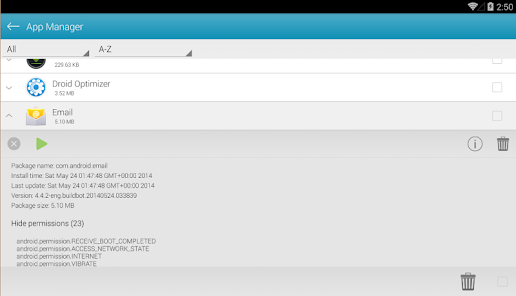
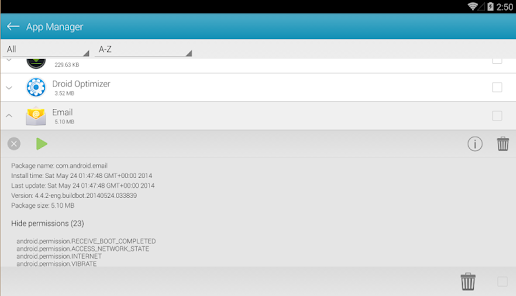
App Manager: Take full control of your installed applications. Droid Optimizer helps you uninstall pre-installed software and unused apps, optimizing both storage space and processing power. You can also back up important apps to prevent data loss.
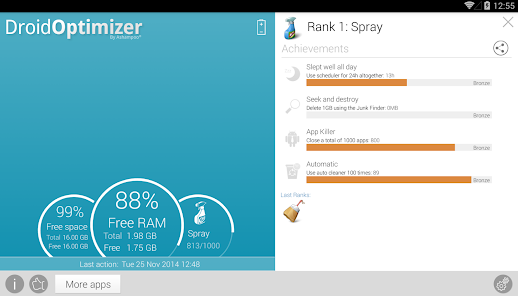
Memory Optimizer: Free up RAM and enhance multitasking capabilities with a single tap. The memory optimizer intelligently closes background applications that consume system resources, ensuring your device runs smoothly.
Game Booster: Elevate your gaming experience! The Game Booster feature pauses background processes to free up system resources, reducing lag and ensuring smoother gameplay.
Privacy Protection: Safeguard your personal information with privacy tools that allow you to clear browsing history and efficiently manage app permissions. Stay in control of who has access to your data.
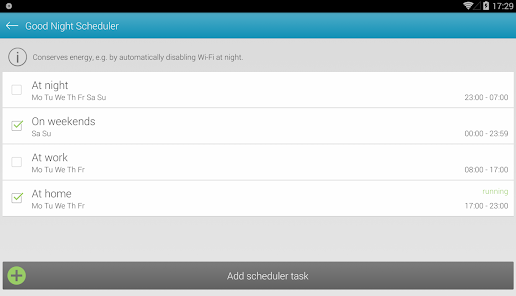
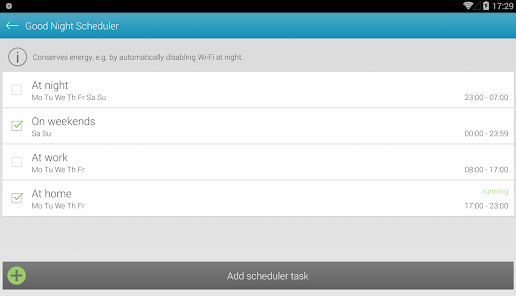
Task Scheduler: Use the Task Scheduler to set up automated cleaning tasks. Keep your device optimized and organized without needing manual intervention.
More Storage Space: The app provides suggestions on how to free up even more storage, such as deleting old files, reducing image file sizes, and removing unnecessary downloads.
User-Friendly Interface: Droid Optimizer features an intuitive, easy-to-use interface. Its clean layout ensures that anyone—regardless of their technical expertise—can effectively utilize all its functions.
Real-Time Monitoring: Stay informed about your device's performance with real-time monitoring tools. Monitor CPU usage, memory consumption, and available storage space—all from a single control panel.
Regular Updates: The developers of Droid Optimizer are committed to continuous improvement, providing frequent updates to enhance functionality, expand features, and ensure compatibility with the latest versions of Android.
Automatically terminate foreground and background apps
Clear system and application caches
Protect your privacy by clearing browsing history
Quickly and easily locate and delete large files
Automate cleaning tasks
Save power and extend battery life
Manage all installed applications
Identify potentially dangerous app permissions and uncover spyware
Droid Optimizer is absolutely fantastic! I’ve tried many Android optimization tools and antivirus programs—such as Norton, Bitdefender, ESET, Malwarebytes, and Avast—but none compare to this. It truly lives up to its reputation as a practical, comprehensive device optimization tool.
I used to envy those who could play games that were previously only available on PC; now that there’s a mobile version, I’m thrilled!
Droid Optimizer is great! It’s fast and incredibly easy to use. If there’s one thing that could be improved, it would be adding a cooling system to my phone—that would make the experience even better, and I could uninstall even more apps!
Droid Optimizer is the best choice for cleaning up an Android system. It’s lightweight, user-friendly, and outperforms many more complex alternatives.
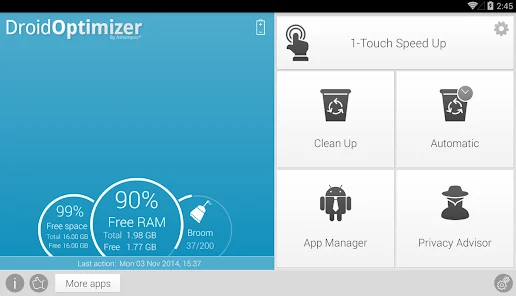
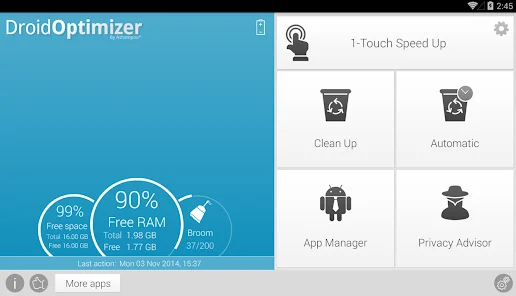
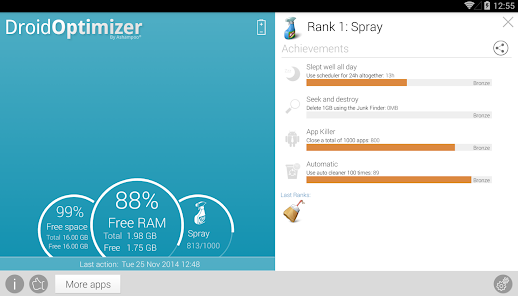
Droid Optimizer is designed to reclaim storage space, manage running applications, and provide insights into app permissions on your Android device. The app consolidates a wide range of cleaning and management functions into a single, unified interface.
Size:11.95MB Version:4.2.4-playstore
Requirements:Android Price:Free
Package Name:com.ashampoo.droid.optimizer Signature:40bd52daf1b7faca865545bb5c322e2f
Discover our File Management Apps hub! Here, you can explore essential tools like Google Drive for cloud storage, Dropbox for simple file sharing, and File Commander for managing files directly on your device. Easily organize and access your files across your phone, or tablet. Our platform is designed to help you quickly find reliable apps to streamline your digital file management.
Utility apps are indispensable in our lives, making our daily routines more convenient. To help you find these apps more easily, this site has created a collection. This collection brings together a series of practical tools covering various aspects of life, work, and education, meeting all your needs. What are you waiting for? Try these apps now and make your life easier!
Transform your mobile device into a powerhouse of efficiency with these handpicked essential tools. Whether you need professional-grade photo editing, seamless file organization, smart task management, or real-time weather updates, our curated selection of premium apps delivers unbeatable performance. Streamline your daily routine, automate repetitive tasks, and boost your productivity with intuitive interfaces and powerful features. Designed for both professionals and casual users, these editor-approved applications will revolutionize how you work and play. Don't settle for an ordinary phone - upgrade your digital experience today and unlock your device's full potential!
About us | Contact us | Privacy policy| DMCA
Copyright © 2026 Xiaohei All rights reserved.