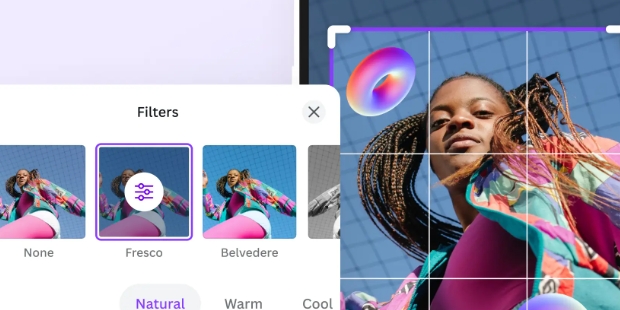
Magic Studio is a photo editor designed for mobile devices that leverages an AI assistant to quickly generate images based on user prompts. Once an image is generated, users can further edit it to their liking—using built-in tools to erase backgrounds and objects, or issuing text-based instructions for the AI to execute. Even beginners can use the app to create impressive photos. After editing, users can quickly export their creations to their devices or share them on social media to garner likes.
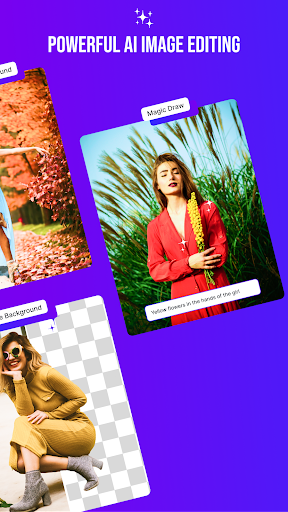
Straightforward and Accessible: The interface is incredibly simple, so you aren’t stuck digging through menus. Anyone—from casual users to pros—can quickly find their way around.
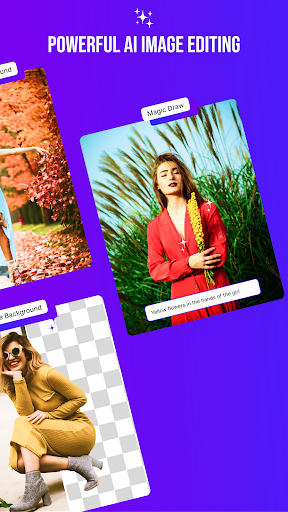
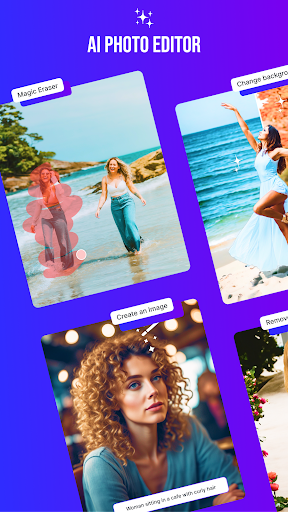
Magic Eraser: Get rid of that weird photobomber or a random stain on your shirt in seconds. Just swipe over what you want gone—the AI handles the rest and neatly fills in the background, so you’re left with clean, polished images.
Background Changer: Need a fresh look for your photo? Knock out the background around people, pets, products, or anything you like. You can swap it for a classic white, a bold color, leave it transparent, or even let the AI cook up a totally new scene for you.
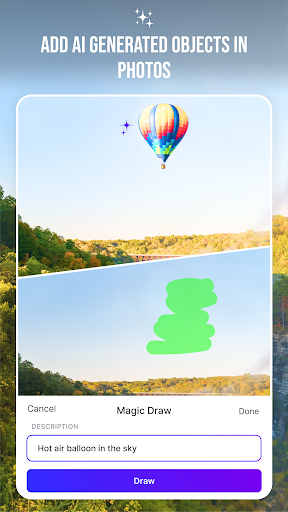
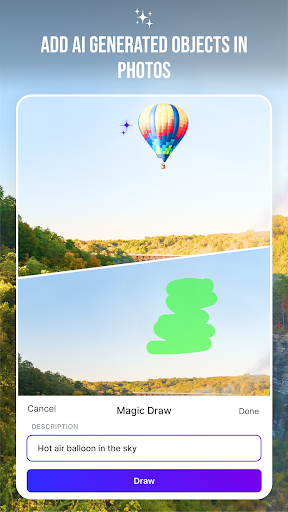
Magic Draw: Want to add something unique? Simply describe what you’d like to see, and then guide the AI with a brush stroke. Whether you’re doodling accessories or imagining a surreal twist, the tool fits your idea seamlessly onto the photo.
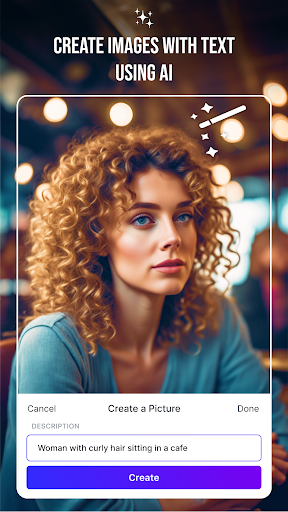
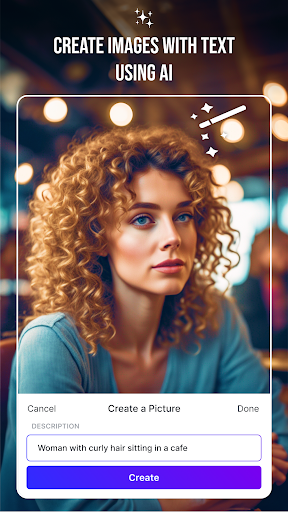
AI Image Creator: Picture an image in your mind and let the app bring it to life. Just type your description, and Magic Studio will generate exactly what you’re after—perfect for getting that one-of-a-kind shot for your feed.
InstaHeadshots took my random photo's and created so many Perfect Headshots!! I am so impressed..you took the stress out of getting photo's for my business cards and posts.. I love you and HIGHLY RECOMMEND this Service to Any and Everyone needing professional pictures at the touch of a keypad! You'll Never Need to Hire a Pro Again. It's All Right Here!!! YAY!
I have tried a few different headshot apps and Magic Studio is by far the best I have found. I work in a corporate job, so a few high quality professional headshots are important for my career. The user experience is easy. Just upload selfies and a couple of waste up shots. It doesn't make unrealistic edits that you have to try to fix, all of the photos are usable because they look like me and best of all - you don't pay until your photos are complete. You can choose how many you want to buy or don't buy any at all! The price was amazing as well. Would recommend to anyone and everyone!
It took me several days to decide to purchase the headshots, but I am glad I did. The quality and selection make them a great value. If I tried to have a professional shoot, I don't think I would be as happy with the results and I certainly would have paid 10x the price. In the end, I got a fantastic selection of flattering headshots for all occasions and I am very happy.
What is Magic Studio?
Magic Studio is your personal AI photographer. Upload a set of everyday photos and we’ll create a personal AI model that can generate new photos of you—from professional headshots to social and dating photos.
What kinds of photos can I create?
You’ll start with a set of professional headshots. After purchasing a pack, you can use credits to explore more looks from our professional, social and dating collections, or create more photos in a look you already like.
How does Magic Studio create photos of me?
You upload a selection of clear, recent photos that show what you look like. Magic Studio uses them to create your personal AI model, then generates 50 watermarked photos for you to preview. We’ll email you when they’re ready.
How long does it take to create my photos?
Most sets are ready in around 15 minutes, although it can take longer during busy periods. You don’t need to keep the page open—we’ll email you as soon as your photos are ready.
Do I need professional photos to get started?
No—ordinary photos and selfies work well. Upload at least 10 clear, recent solo photos, including mostly close-ups and at least two waist-up shots. Use a mix of outfits, backgrounds and lighting, face the camera directly, and keep your appearance consistent across the photos.
Built around prompt-driven creation and one-stroke corrections, Magic Studio turns several common image-editing jobs into short AI-assisted tasks. Its appeal lies in that narrow focus: remove an unwanted object, replace a background, add something new, or generate an entire picture from text.
Size:62.89MB Version:3.1.0
Requirements:Android 5.0+ Votes:163
Package Name:com.magicstudio.android Signature:6d7648ed27cc1934ccf45c33ed2f08c9
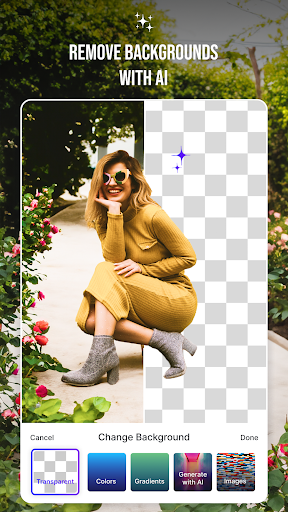
Welcome to our image editing apps! Perfect for beginners and pros alike, they make photo enhancement easy. Use PicsArt to crop, adjust colors, and apply filters. Remove backgrounds instantly with Remove.bg. Get creative with layers and advanced tools on Adobe Photoshop Express. Start transforming your images today!
Visuals serve as a primary gateway for players to engage with games, where distinctive art direction immediately captures attention and creates lasting impressions. An unconventional aesthetic not only stands out in crowded markets but also enhances immersion and emotional connection. When executed with creativity and polish, striking visuals elevate gameplay into a memorable artistic experience. That's why titles with truly exceptional art styles deserve recognition - they offer both visual delight and meaningful interactive expression that resonates with players long after the session ends.
Enhance your photos effortlessly with the best free photo editing apps for Android! Whether you want to apply stunning filters, adjust brightness and contrast, remove blemishes, or create professional-quality edits, these apps offer powerful tools at your fingertips. From simple one-tap enhancements to advanced editing features like background removal and AI-powered effects, you can transform your images with ease. Explore a wide range of user-friendly and feature-rich apps, all available for free download. Start editing and make your photos stand out today!
About us | Contact us | Privacy policy| DMCA
Copyright © 2026 Xiaohei All rights reserved.