InShot Video Editor is a video editing application that allows users to edit and publish their own video creations. The software incorporates powerful AI features that automatically generate special effects and more. It also offers a comprehensive suite of video editing tools, enabling users to edit content exactly as they envision. Beyond video editing, the app supports photo editing—including adding text, changing backgrounds, and applying special effects. Additionally, it allows for custom export resolutions and seamless sharing to social media. Whether you are a beginner or a professional, this app is well worth trying.
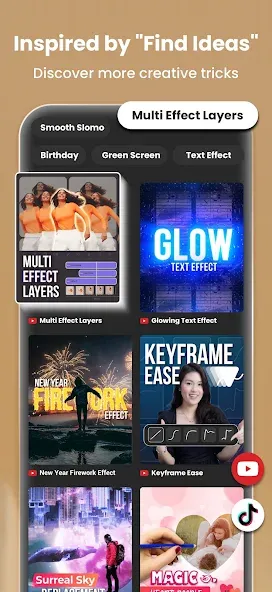
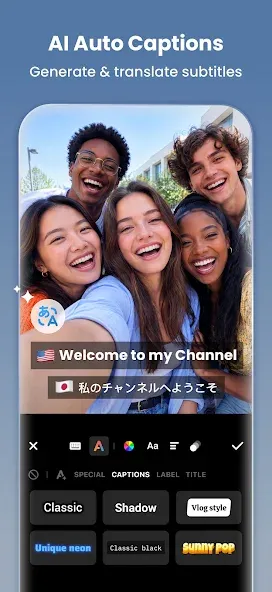
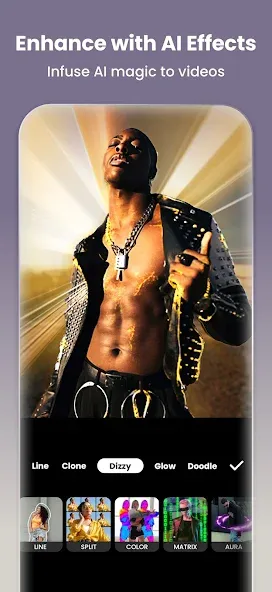
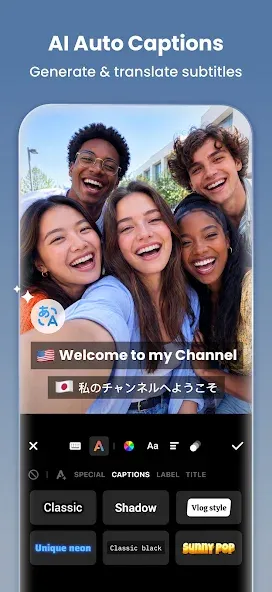
AI Tools: InShot InShot Video Editor integrates AI-powered features—such as body effects, auto-captions, and background removal—to streamline the editing process.
Comprehensive Video Editing: Users can trim, merge, and reverse video clips, among other actions. It provides a wide range of editing options, including the ability to add text, emojis, music, and voiceovers.
Customization and Effects: The app offers extensive customization through filters, special effects, and transitions. Users can also adjust parameters like brightness, contrast, and saturation to suit their preferences.
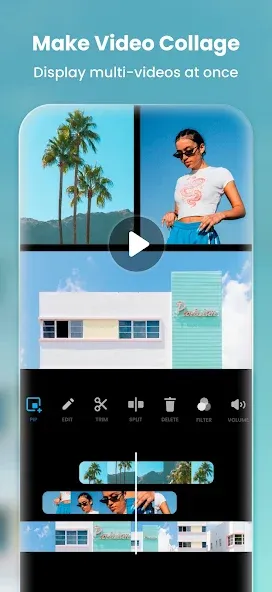
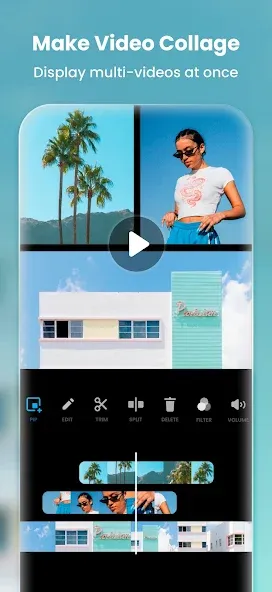
Photo Editing and Collage Making: In addition to video editing, InShot InShot Video Editor functions as a photo editor and collage maker, providing tools to edit images, change backgrounds, and create photo collages.
Easy Sharing: The app supports custom export resolutions—up to 4K at 60fps—making it easy to share your work across various social media platforms.
How can I create a video using photos in InShot Video Editor?
To create a video from photos in InShot Video Editor , simply select the desired images within the app. You can then enhance the sequence using various customization options, such as adding transitions, music, or stickers.
Is InShot Video Editor suitable for beginners?
Yes, InShot Video Editor is user-friendly and well-suited for beginners, featuring an intuitive interface and a wealth of tutorials.
Can I use InShot Video Editor for professional-grade video editing?
While InShot Video Editor is feature-rich, it may not fully replace professional desktop editing software; however, it is an excellent choice for high-quality mobile editing.
Pros:
Extensive feature set.
Easy sharing to multiple social media platforms.
Most features are available for free. High-quality video export resolution
Suitable for both video and photo editing
Cons:
The app frequently crashes during long editing sessions.
The export process is slow.
I’ve tried many video editing apps, but I’ve found InShot Video Editor to be the best. Recently, I used it to edit some photos and video clips into a short video; adding music, transitions, and text was incredibly easy, and the final result was exactly what I had envisioned. I didn’t have to struggle to figure things out or spend hours learning how to use it.
Honestly, I really, really love this app! It’s perfect for anyone—regardless of age—who enjoys editing or creating videos, and the platform is both safe and user-friendly.
This app is an absolute powerhouse for video editing! The best part is that, unlike many other editing apps that require a subscription, you can access a wide range of features for free. I highly recommend this app to all mobile editing enthusiasts—and the subscription service is worth it, too!
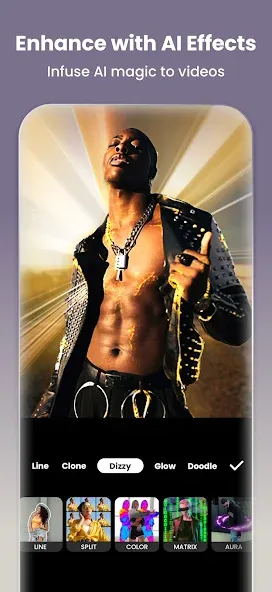
InShot Video Editor is an app designed for video and photo editing, primarily aimed at helping you create content for social media and other online platforms. Whether you are a professional creator or a social media enthusiast, this app offers a suite of tools to help take your audiovisual projects to the next level.
Size:86.86MB Version:2.243.1555
Requirements:Android Votes:310
Package Name:com.camerasideas.instashot Signature:12145fe1eb543a432b8c1ea5e7b09e5f
A collection of essential beauty camera tools designed to instantly enhance your photos. Whether you’re perfecting your selfies or creating stunning images, these tools help you achieve flawless results with just a few taps. Ideal for anyone looking to elevate their photo game effortlessly.
Photography is an art form that has been around for over a century and has evolved greatly over the years. With the advent of technology, photography has become more accessible and convenient, especially with the rise of mobile photography. Mobile photography has revolutionized the field of photography, making it possible to capture and edit high-quality photos right from your smartphone. As mobile photography continues to grow in popularity, there is an abundance of mobile apps available for photography enthusiasts. However, with so many options available, it can be difficult to determine which apps are worth your time and investment. In this article, we’ll take a look at the top mobile apps for photography and provide you with a comprehensive guide to help you choose the best app for your needs.
Transform your smartphone into a powerful creative tool with these top-rated camera apps. Packed with professional-grade editing features, stunning filters, and advanced effects, they help you capture and refine every shot like never before. Perfect for landscapes, portraits, or spontaneous selfies, these apps offer intuitive controls and AI-powered enhancements-all for free. Download today and unlock your full artistic potential. With these apps, your photos will stand out with polished, professional quality, making every moment picture-perfect!
About us | Contact us | Privacy policy| DMCA
Copyright © 2026 Xiaohei All rights reserved.