Pixel Camera is an excellent photography tool. The app offers powerful features, allowing users to capture various wonderful moments with HDR+, Night Vision mode that brings vivid images in low light, and Ultra-Clear Zoom that can capture clear close-ups. With Pixel Camera, you can record exceptional videos featuring cinematic effects, motion blur, smooth camera movements, and long-take styles, all while ensuring clear audio. You can also use Astrophotography mode to capture the Milky Way and add creative touches, such as blur effects, to your photos.
HDR+ balances contrast and color in harsh or backlit scenes.
Night Sight with Astrophotography captures stars without flash or extra gear.
Super Res and Pro Res Zoom bring faraway details closer, up to 100x.
Long Exposure, Action Pan, and Cinematic tools add motion and depth.
Night Sight Video and Video Boost improve low‑light and processed footage.
Unleash Your Inner Photographer
HDR+ with Exposure and White Balance Controls.
Bring distant subjects closer with incredible clarity.
Add artistic blur for creative effects.
Reveal intricate details in close-up shots.
Create Cinematic Videos with Ease
Achieve a professional, cinematic look with blurred backgrounds.
Create smooth, cinematic panning effects.
Capture quick videos with a simple long-press.
Record crisp sound even in noisy environments.
Exclusive Pixel 8 Pro Power
Capture exceptional detail with high-resolution photos.
Manually adjust focus, shutter speed, and other settings.
Elevate your photography to new heights.
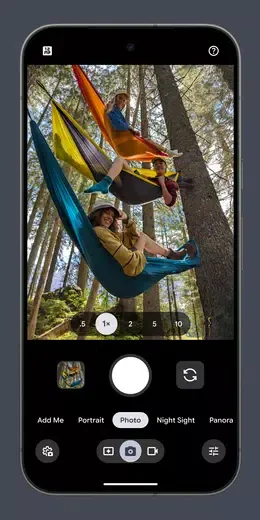
Experiment with HDR+ in different lighting conditions to capture stunning photos.
Use Night Sight for low-light photography without the need for a flash.
Try Super Res Zoom for sharper images when zooming in.
Get creative with Long Exposure and Action Pan for unique effects.
Record smooth videos with Cinematic Blur and Cinematic Pan for a professional look.
Pros
Excellent low‑light photos and videos
Smart AI tools for faces and framing
Sharp zoom with Super Res and Pro Res
Creative motion and cinematic effects
Simple interface with Pro Controls access
Cons
Colors may appear darker with higher contrast
Some edits lost after UI changes
Works only on recent Pixel devices
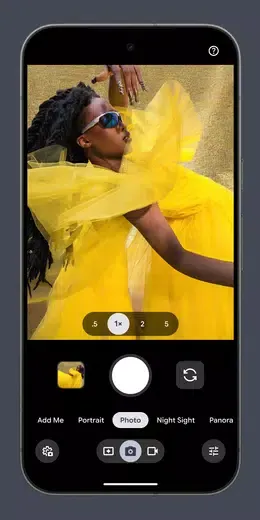
Don't miss out on capturing breathtaking moments - download the redesigned Pixel Camera now to take stunning photos and videos with ease. With features like Night Sight, Super Res Zoom, and Cinematic Blur, your photos and videos will look professional and visually appealing. Upgrade to the Pixel 8 Pro for exclusive features and high-resolution photos. Get ready to unleash your creativity and take your photography to the next level with Pixel Camera!
Size:50.20MB Version:10.4.117.9368166
Requirements:Android 12.0+ Price:Free
Package Name:com.google.android.GoogleCamera Signature:7780c814d1248107a5639baf0660c059
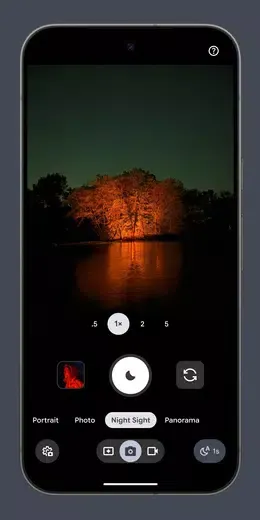
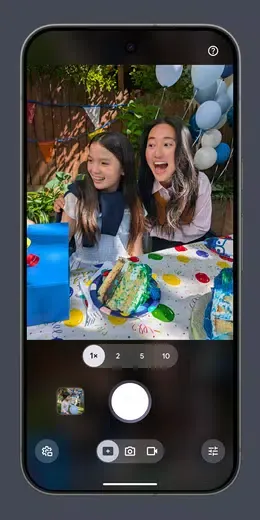
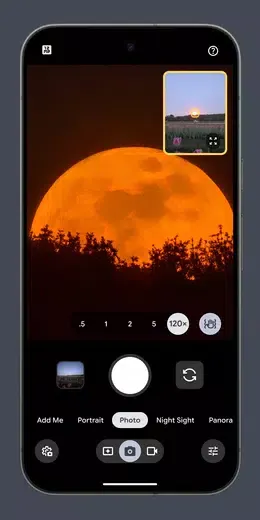
A collection of essential beauty camera tools designed to instantly enhance your photos. Whether you’re perfecting your selfies or creating stunning images, these tools help you achieve flawless results with just a few taps. Ideal for anyone looking to elevate their photo game effortlessly.
Transform your smartphone into a powerful creative tool with these top-rated camera apps. Packed with professional-grade editing features, stunning filters, and advanced effects, they help you capture and refine every shot like never before. Perfect for landscapes, portraits, or spontaneous selfies, these apps offer intuitive controls and AI-powered enhancements-all for free. Download today and unlock your full artistic potential. With these apps, your photos will stand out with polished, professional quality, making every moment picture-perfect!
About us | Contact us | Privacy policy| DMCA
Copyright © 2026 Xiaohei All rights reserved.