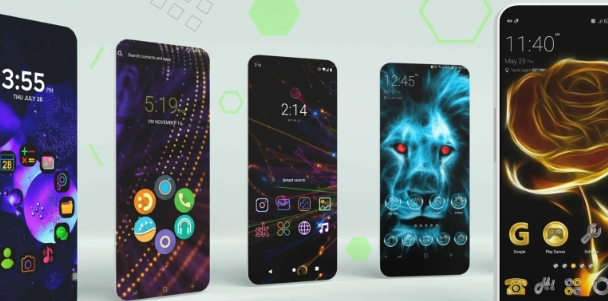
LINE Camera is an exceptional photography tool. This app offers a wealth of features, catering to all your photography needs, whether you're a photography enthusiast looking to take stunning selfies or a professional photographer. With LINE Camera, you can quickly capture breathtaking moments using the built-in camera, then enhance them with real-time filters and beauty effects for a natural, authentic look. You can also add text—such as witty captions or spontaneous doodles—and incorporate your favorite stickers, transforming your photos into personalized, movie-poster-style creations.
LINE Camera is always famous in photography for its series of lively and interesting stickers. Here we regularly provide you with any amount of sweet animated stickers and keep adding them daily for you. They all come in vibrant colors; you can also change their colors to match the composition better. Graphics include animated stickers with lovely movements of cartoon characters. With the perfect filter for stickers, users can insert any favorite symbol into their photo because we have no limit on the number. The stickers on the application toolbar are classified into many topics for you to select and edit easily.
Each object in your photo is supported by LINE Camera to cut, paste and insert as you like. You can create more new objects in the image by cropping them and then doubling the number. If you can create many beautiful images with complex editors, please share them with the LINE Camera user community so everyone can learn together. Any background can be changed with just a few simple background separation operations. If you are passionate about the candy color world, add pink to the overall image. We give you a lot of impressive color saturation.
This is not only a world with countless unique photo color effects, but it is also a place for you to unleash your graphic design talent. Users choose the design feature and start sketching the first strokes. It would be best if you created your sticker collection representing your wishes and world. LINE Camera supports many smart filters and cropping tools. Every collection you post on the app will attract a certain number of followers. The more people download your stickers, the more you become a high-level “expert” in our app.
Wide range of frames and stickers. It comes along with over 1,000 available, including all the LINE characters.
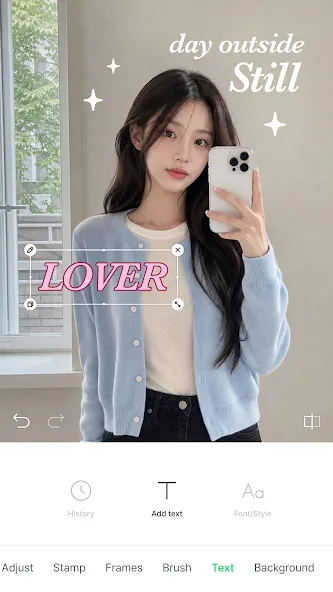
Tool to write text on the photos with over 100 original kinds of fonts.
Filters with editable adjustments.
Tools to create stickers based on our own drawings or other images.
Beauty function to correct faces.
Tool to create collages.
Photo functions.
Share photos through LINE, Facebook, and Twitter.
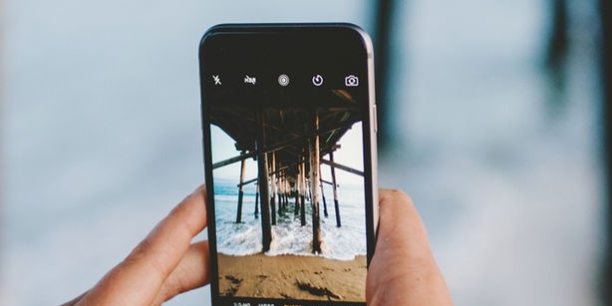
Camera features: Enjoy a timer, flash, mirror mode, level, grid, and other essential features to ensure you capture the perfect picture.
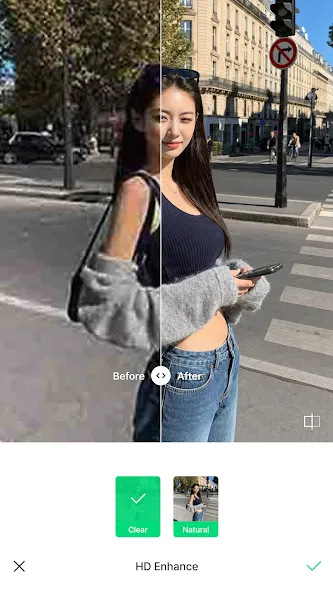
Filters: Enhance your photos with a variety of filters that can brighten up shadows, make food photos more appetizing, or make your pictures stand out in unique ways.
Add text: Make your photos memorable by adding catchy slogans, poppy messages, or your favorite memes with various font options.
Stamps: Personalize your photos by decorating them with over 20,000 unique stamps, giving them an extra special touch.
[Text improvements]
Decorate your text with ease using more fonts and styles.
[Emoji mosaic & auto mosaic]
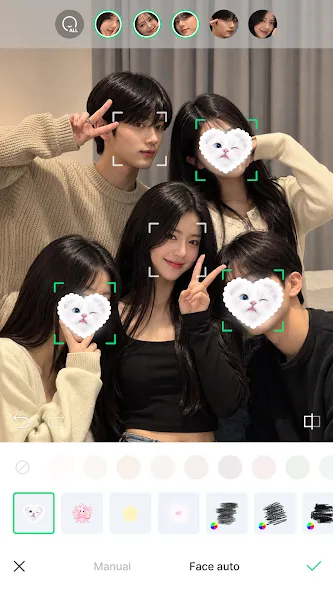
Emoji mosaics are here! Try mosaics that automatically snap onto faces.
[Gallery sort options]
Sort your gallery the way you like: by date taken or by date added.
[Video recording]
The maximum video recording time has been extended from 1 minute to 30 minutes.
LINE Camera placed a huge variety of decorative elements for my photos at my disposal. When I tried the app, Halloween was just around the corner, so most of the featured decorations, frames, and stickers had a holiday theme. Then I opened a selfie in the editor, used the emoji mosaic feature to cover the face, and made numerous color and contrast adjustments. I also tried the sticker maker by cutting out my pet's silhouette from another photo in the gallery. I added a curved label in a bold font, placed the sticker in the bottom corner, and saved the finished image to my device.
Size:210.25MB Version:18.6.2
Requirements:Android 12.0+ Votes:110
Package Name:jp.naver.linecamera.android Signature:26ee3120ced1c7dbc20531129905f402
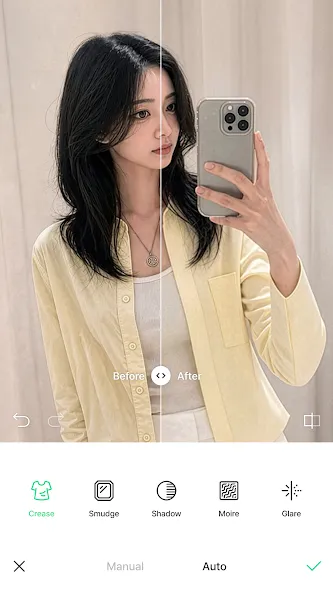
A collection of essential beauty camera tools designed to instantly enhance your photos. Whether you’re perfecting your selfies or creating stunning images, these tools help you achieve flawless results with just a few taps. Ideal for anyone looking to elevate their photo game effortlessly.
More and more people enjoy taking selfies nowadays, and the most important thing about a good selfie app is its filter function. Filters are mainly used to achieve various special effects on images. Taking photos with these cameras can make them more aesthetically pleasing. So which mobile filter software is good? Below, the editor recommends several super useful filter apps for everyone. In addition to having a large selection of filters, you can also customize and adjust your photos. Multiple filter overlays are super stylish, and you can modulate your exclusive filter effects. Below are the most popular filter software downloads for everyone, hoping to help you.
About us | Contact us | Privacy policy| DMCA
Copyright © 2026 Xiaohei All rights reserved.