Shutterstock Contributor is a platform designed specifically for creative artists. The app offers robust tools for tracking earnings and performance, allowing users to upload and submit images directly from their mobile devices—no computer or complicated upload process required. With Shutterstock Contributor, you can easily monitor your sales and keep tabs on your portfolio and the performance of individual assets. At the same time, understanding your customers' needs will help you create content that has greater market potential and generates more revenue.

Upload new photos straight from the app.
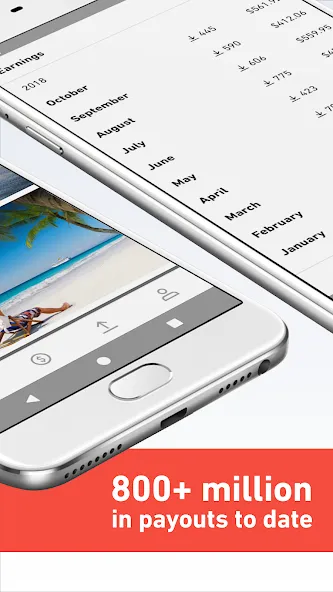
Monitor sales of your work and your photos' performance.
Receive notifications when someone views your photos.
Keep track of photographic trends in the creative world and of the most-sold pictures.
Manage a customer portfolio.
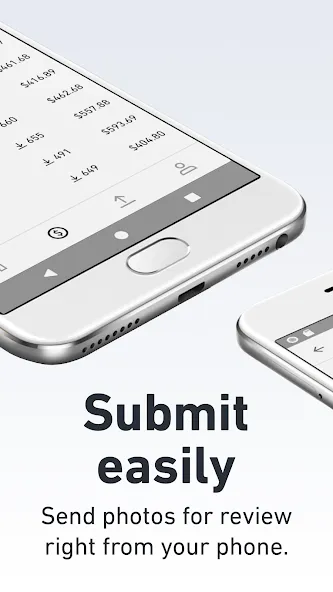
Easy Image Submission: With the Shutterstock Contributor app, you can easily upload and submit images directly from your phone, allowing you to earn money on the go.
Sales Monitoring: Monitor your sales and track the performance of your creative portfolio and work all in one place.
Customer Insights: Gain valuable insights into customer behavior, see what's being downloaded, get notifications when your images are being viewed, and stay informed about global purchasing trends.
Trending Content: Stay up-to-date on what's trending in the creative content world, so you can create and sell visuals that are in demand.
Regularly upload new images to keep your portfolio fresh and engaging. This not only attracts more customers but also increases your chances of earning more money.
Pay attention to trending topics and styles in the creative content world. By creating visuals that are in demand, you can boost your sales and attract a larger audience.
Engage with your customers by responding to their feedback and inquiries. Building strong relationships with your audience can lead to repeat business and positive word-of-mouth recommendations.
Can I use the Shutterstock Contributor app if I'm not already a Shutterstock contributor?
No, the app is exclusively for approved Shutterstock artists. If you're not yet a contributor, you can apply to join the platform at submit.shutterstock.com.
Is the app available for both iOS and Android devices?
Yes, the Shutterstock Contributor app is available for download on both iOS and Android devices, giving you the flexibility to easily upload and monitor your creative content on the go.
How quickly will I see earnings from my uploaded images?
Earnings can vary based on the popularity and demand for your images. It's important to consistently upload high-quality and relevant content to maximize your earning potential over time.
If you're not yet part of this dynamic marketplace, the opportunity to join awaits. Apply now and start capitalizing on the ability to turn your artistic endeavors into a profitable venture. Join the community and elevate your craft to new heights, right from the palm of your hand, with the Shutterstock Contributor game.
Size:105.53MB Version:1.40.6
Requirements:Android 7.0+ Price:Free
Package Name:com.shutterstock.contributor Signature:ef802d263489b6d02d6aec2f19bc4ea4
Transform your smartphone into a powerful creative tool with these top-rated camera apps. Packed with professional-grade editing features, stunning filters, and advanced effects, they help you capture and refine every shot like never before. Perfect for landscapes, portraits, or spontaneous selfies, these apps offer intuitive controls and AI-powered enhancements-all for free. Download today and unlock your full artistic potential. With these apps, your photos will stand out with polished, professional quality, making every moment picture-perfect!
Recently, I have noticed that many friends are asking about the photography skills of their mobile phones. In fact, even the best skills cannot compare to an excellent mobile phone photography app. Nowadays, the mobile phone selfie tool can automatically beautify the photos while taking pictures, and the photos taken are beautiful and particularly natural. Which mobile camera app is good? The editor has carefully compiled the ranking of popular photo apps for mobile phones. The editor recommends several excellent mobile photography apps for those who love taking photos. Let's start taking more beautiful photos now.
About us | Contact us | Privacy policy| DMCA
Copyright © 2026 Xiaohei All rights reserved.