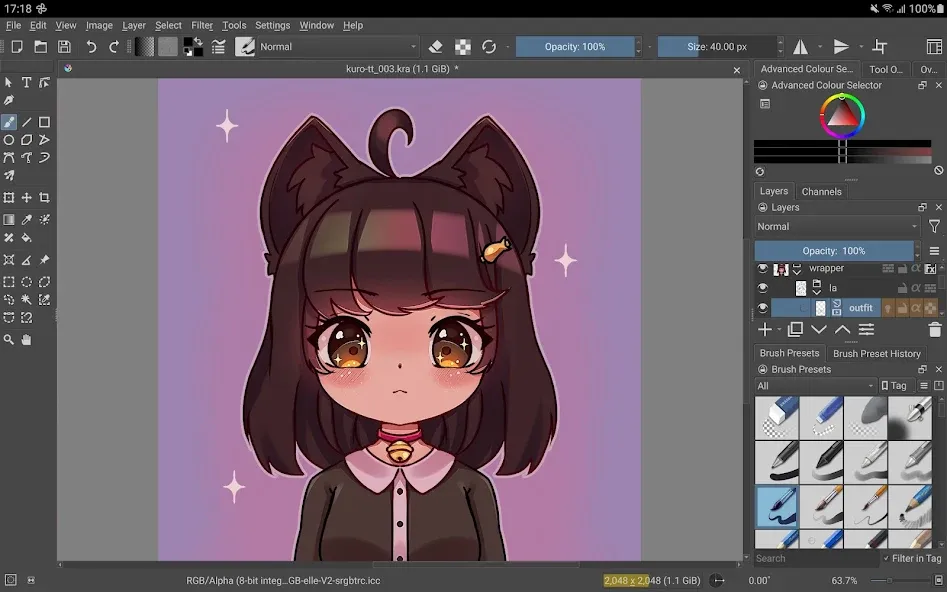
Krita is an exceptionally powerful image editing software. It offers a wide array of professional-grade tools, including a diverse collection of brush presets that cater to numerous artistic styles—allowing users to select and utilize the ones that best suit their needs. The software also features robust stroke stabilization, which helps users refine their hand-drawn artwork. Advanced stabilization options even introduce a slight delay to the brush stroke, ensuring greater stability for both lines and textures. Furthermore, Krita supports vector graphics; users can easily drag and drop assets or utilize a built-in vector library—a particularly useful feature for creating comics. With full compatibility for the SVG standard, Krita allows for the seamless import and export of SVG files, meeting a broad range of user requirements. The software is built upon multiple brush engines and incorporates various filter engines, enabling the creation of unique, stylistically diverse artwork. Thanks to its extensive suite of professional features and comprehensive asset libraries, Krita has become a favorite among many users.
A Carefully Curated Built-in Brush Library
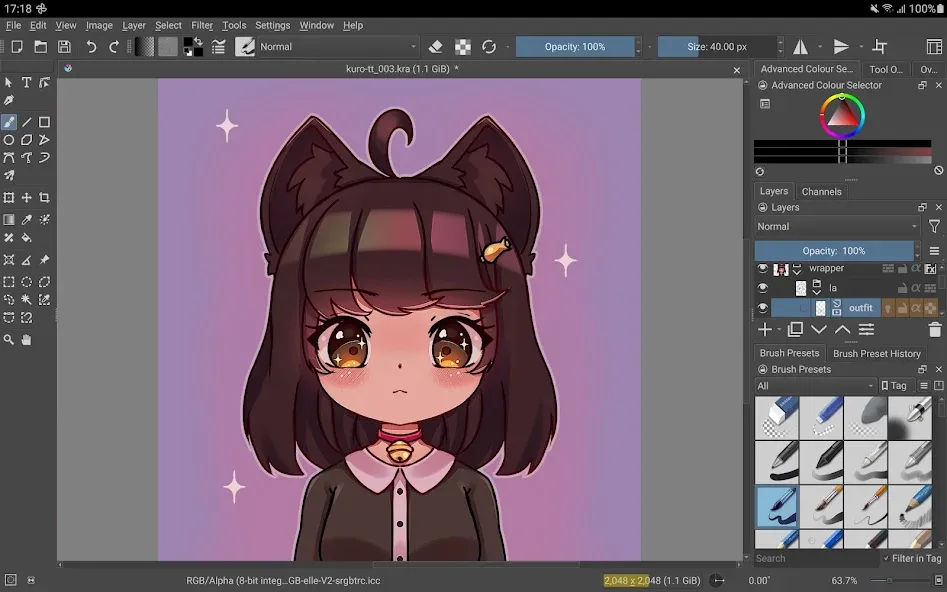
Krita comes with over 100 professional brush presets, designed to accommodate a wide variety of artistic styles. You can load additional brush packs, adjust existing brush parameters, or even learn to create your own custom brush presets.
Stroke Stabilization and Smoothing
Krita offers multi-level stroke stabilization and smoothing, which can be accessed via the drop-down menu in the Tool Options panel when using freehand brush tools. Basic smoothing helps refine lines drawn at high speed, while advanced stabilization uses a delay-and-average calculation method to ensure steady lines and consistent pressure sensitivity. Additionally, there are "dynamic" (physics-based) brush tools that simulate weight and inertia, helping you achieve exceptionally smooth, fluid strokes.
Vector Graphics and Text Layout
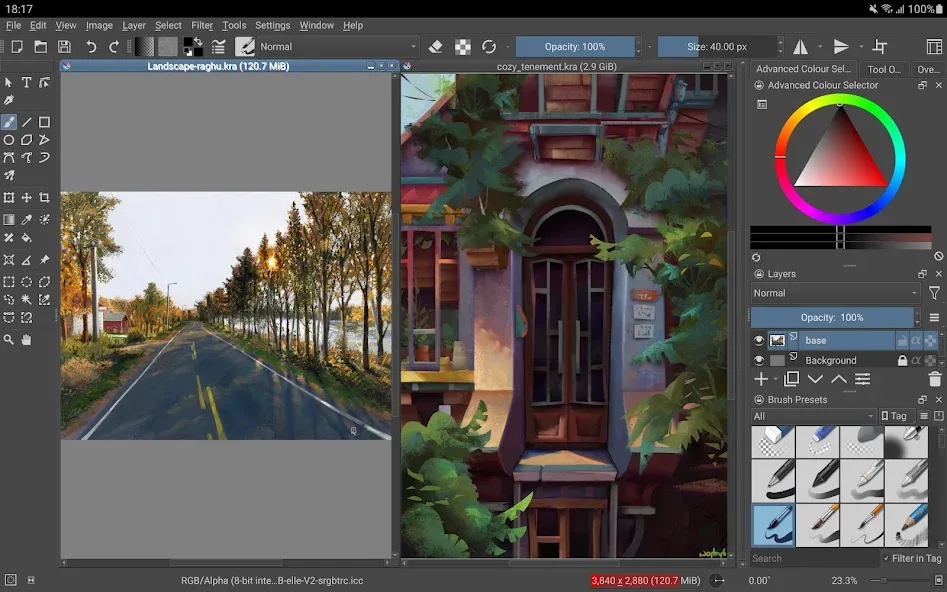
Krita supports vector graphics and includes a built-in vector library, allowing for easy drag-and-drop asset placement—perfect for comic creation. You can modify the anchor points of vector shapes to build your own custom library of vector assets. The text tool allows for the insertion of text along with basic layout formatting. Krita’s vector implementation is fully compliant with the SVG standard, supporting both the import and export of SVG files.
Highly Customizable Brush Engines
Krita features 9 built-in brush engines, each designed for specific tasks—such as color blending, filling, particle effects, or even applying filters. Every engine offers an extensive range of customization options, allowing you to create an infinite variety of brush presets. These presets can be organized and accessed using a tagging system.
Seamless Tiling and Drawing Assistants
Krita supports a "seamless tiling" (wrap-around) mode, which can be toggled via the View menu. This feature displays your canvas content continuously across all four edges—updating in real-time—making it ideal for creating seamless textures and patterns. Additionally, drawing assistants (guides) can snap your brush strokes into place, helping you draw precise shapes or maintain consistent perspective.
Tagging and Resource Bundle Management
You can expand your toolkit by importing brush and texture bundles. Using the Resource Bundle Manager, you can also package your own custom presets to share with others. Visit our free resource library to discover more assets.
Pros:
Free and open-source, featuring a full suite of brush and layer tools.
Supports frame-by-frame animation, onion-skinning, and project management for comics.
Handles PSD files, facilitating integration into desktop-based workflows.
Highly customizable workspaces, keyboard shortcuts, and a pop-up palette.
Cons:
Still in Beta; not recommended for critical, professional-grade projects.
The interface is optimized for tablets and Chromebooks, making it less suitable for standard smartphones.
Krita says it cannot find certain files and then shuts down automatically. What should I do?
This issue may occur if the Krita installation package you downloaded is corrupted—meaning some files are missing. Downloads are more prone to corruption over unstable internet connections (e.g., a weak Wi-Fi signal). Try re-downloading Krita from a location with a stable, reliable internet connection. A standard Krita installation package is typically between 80 and 100 MB. Alternatively, an error may have occurred during the installation process.
Why can't I edit text in a PSD file created in Photoshop?
As of version 5.3, Krita supports loading text from PSD files. However, due to significant differences between Photoshop and Krita, Krita will ask whether you want to load text data as text objects or as paint layers. You might want to try loading the PSD file again in a newer version of Krita, selecting the option to import the text as editable text objects.
Can Krita handle 8-bit indexed color images?
No. Krita is designed to work with "true color" (full-color) data rather than indexed color palettes. There are no plans to add support for indexed color images. While Krita can export to certain indexed formats—such as GIF—it does not provide the level of precise control over individual pixel values required for indexed color workflows.
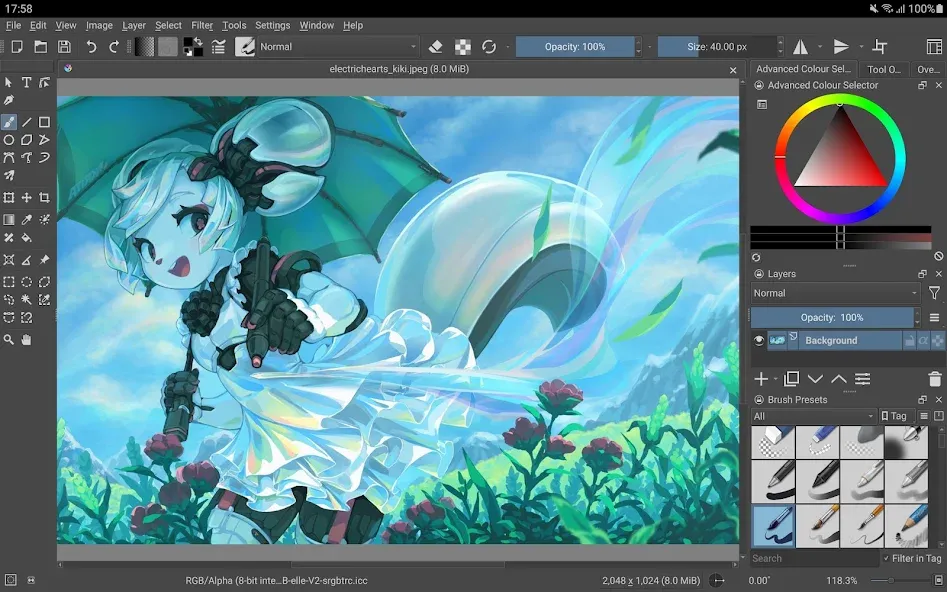
Ever since the August update integrated the FFmpeg core library—enabling animation export on the Android version—Krita for Android has finally felt complete. On my Android mobile device, I don’t even consider other software anymore; Krita has become my go-to tool for everything.
The optimization is truly impressive—it makes drawing on a tablet feel just like working on a desktop PC…
Using this software on a Samsung tablet with a Wacom stylus is incredibly smooth; it’s such a massive upgrade that it feels almost surreal—like going from a meager, rough diet to a refined, high-quality feast.
A comprehensive, open-source painting application available across all platforms.
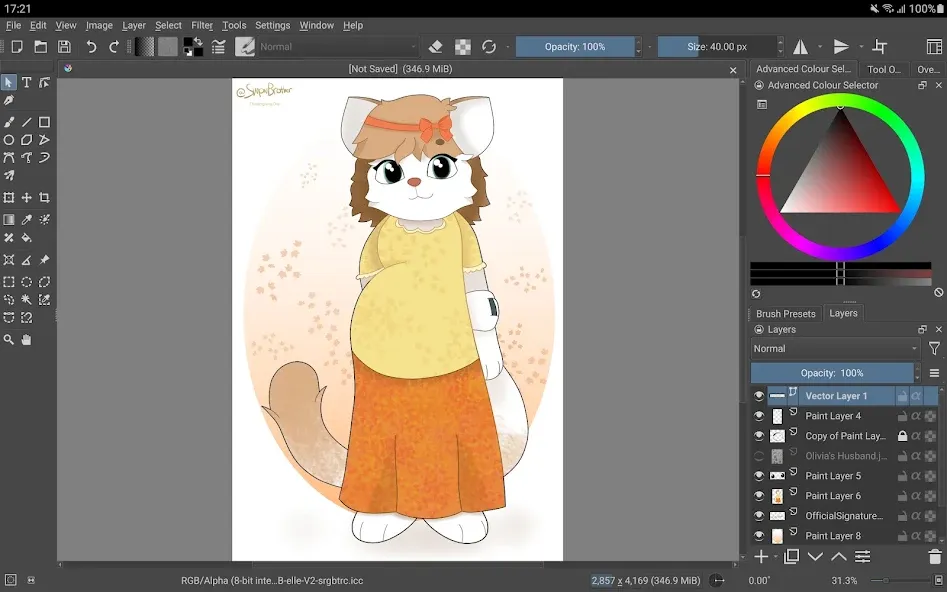
There is a great deal of anticipation surrounding the Android and Chromebook versions of Krita. Once the full-featured application is released, it is sure to be downloaded by thousands of artists around the world. With this app, you no longer need a desktop computer or expensive, proprietary digital art software to create high-quality, professional-grade artwork.
Size:149.90MB Version:5.3.4.2
Requirements:Android Price:Free
Package Name:org.krita Signature:5021ae3ae3afb56476c579699ad1cba7
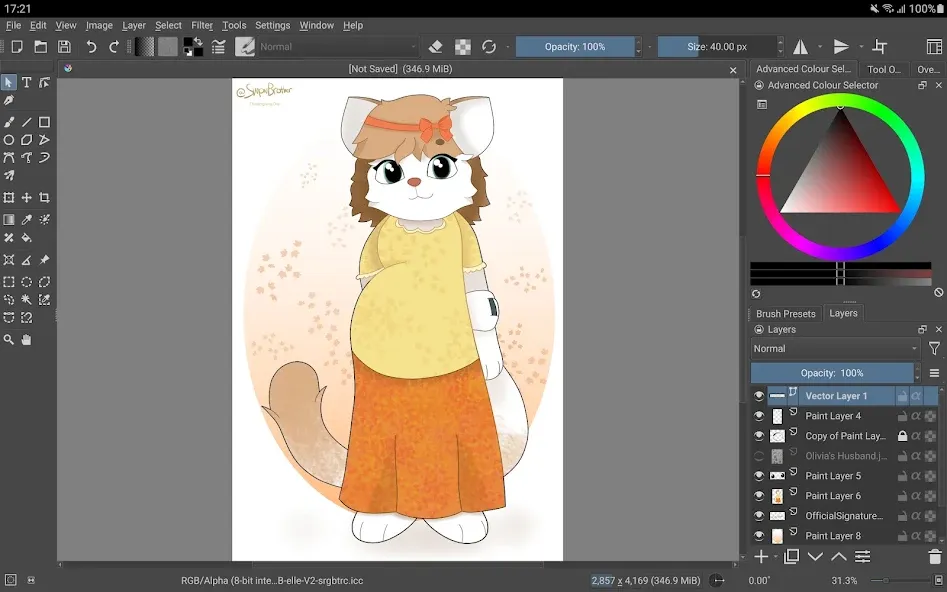
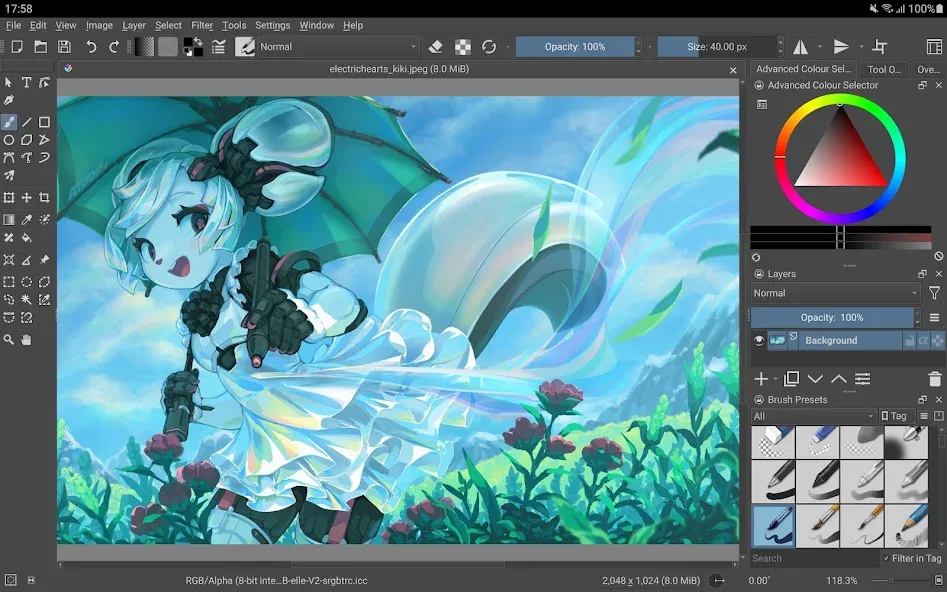
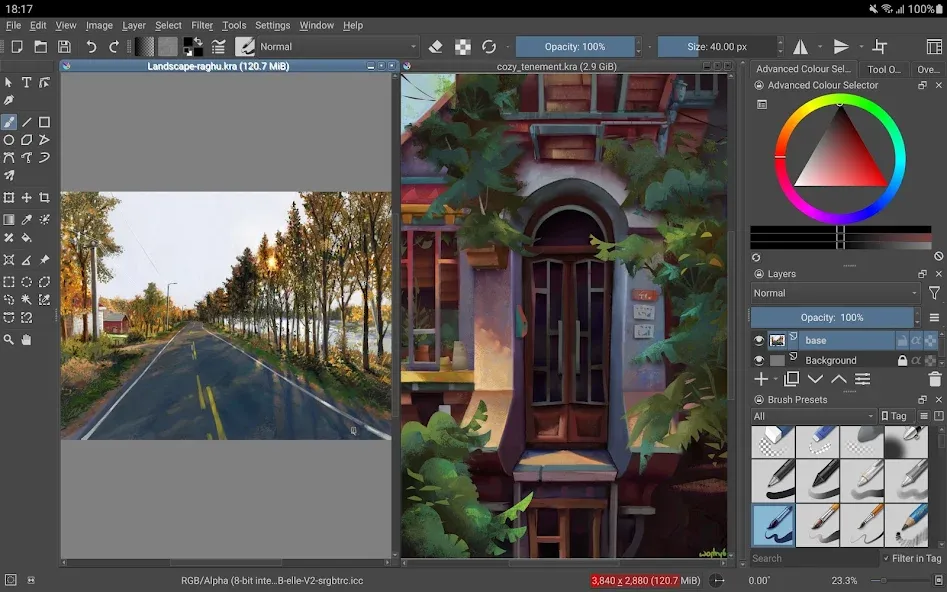
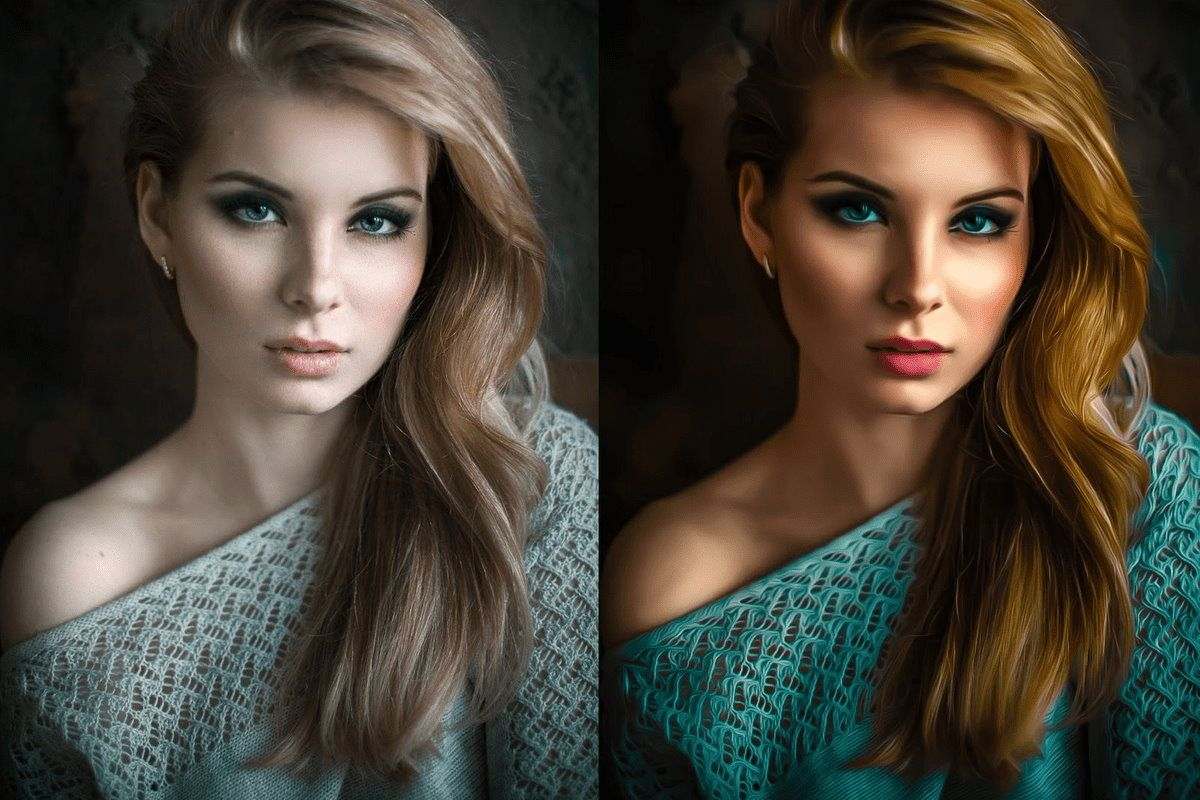
Welcome to our image editing apps! Perfect for beginners and pros alike, they make photo enhancement easy. Use PicsArt to crop, adjust colors, and apply filters. Remove backgrounds instantly with Remove.bg. Get creative with layers and advanced tools on Adobe Photoshop Express. Start transforming your images today!
Visuals serve as a primary gateway for players to engage with games, where distinctive art direction immediately captures attention and creates lasting impressions. An unconventional aesthetic not only stands out in crowded markets but also enhances immersion and emotional connection. When executed with creativity and polish, striking visuals elevate gameplay into a memorable artistic experience. That's why titles with truly exceptional art styles deserve recognition - they offer both visual delight and meaningful interactive expression that resonates with players long after the session ends.
Enhance your photos effortlessly with the best free photo editing apps for Android! Whether you want to apply stunning filters, adjust brightness and contrast, remove blemishes, or create professional-quality edits, these apps offer powerful tools at your fingertips. From simple one-tap enhancements to advanced editing features like background removal and AI-powered effects, you can transform your images with ease. Explore a wide range of user-friendly and feature-rich apps, all available for free download. Start editing and make your photos stand out today!
About us | Contact us | Privacy policy| DMCA
Copyright © 2026 Xiaohei All rights reserved.